
The preset library
In short: click Library in the Look presets panel to browse packs of looks made by Shot3D, each shown on the sample models. Click Apply to try one on your models, or Add to My presets to keep it. Most packs are on every plan; the Game asset showcase pack is on Pro and Studio.
Open the library
Click Library at the top of the Look presets panel:
 The Library button
The library shows each pack with a preview of every look, rendered on Shot3D's sample models so you can compare them:
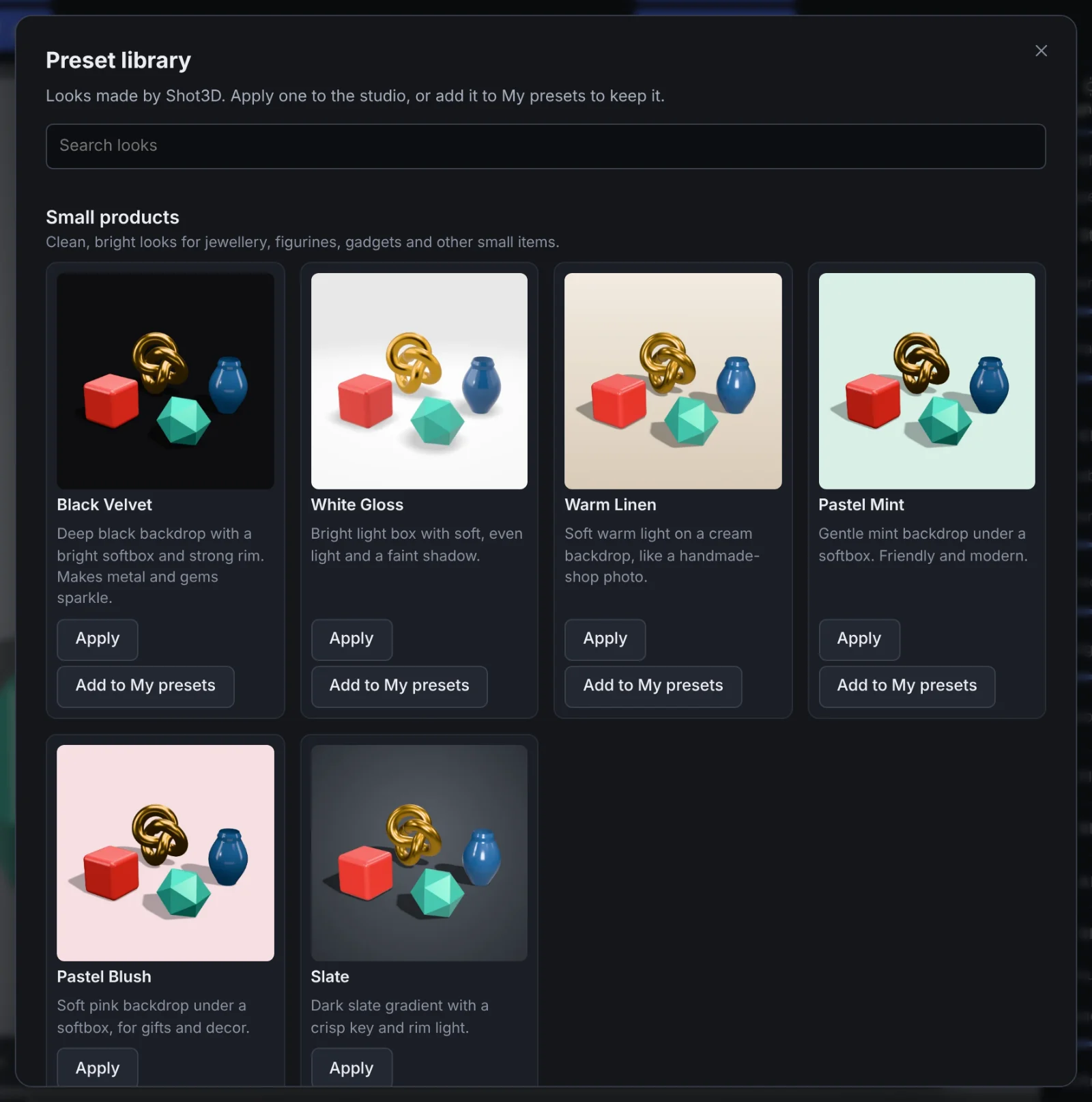 The preset library
Type in Search looks to find a look by name, description or pack, for example black or print.
Use a look
- Apply sets the studio's lighting, background and material to the look. Change anything you like afterwards, as with any preset.
- Add to My presets saves the look under My presets and applies it, so it's one click away next time. Your plan's limit on your own presets applies: 3 on Free, 50 on Pro and no limit on Studio.
Looks are settings only: lighting, background and material. Applying one never changes your models.
The packs
| Pack | Looks | Plans |
|---|---|---|
| Small products | Black Velvet, White Gloss, Warm Linen, Pastel Mint, Pastel Blush, Slate | Every plan |
| Print shop | Print on Grey, Print on White, Print on Black, Warm Clay | Every plan |
| Game asset showcase | Hero Dusk, Neon Rim, Forest Clearing, Torchlight, Arctic, Card Art | Pro and Studio |
On Free, the Game asset showcase pack shows its previews with a note that it's included with Pro and Studio:
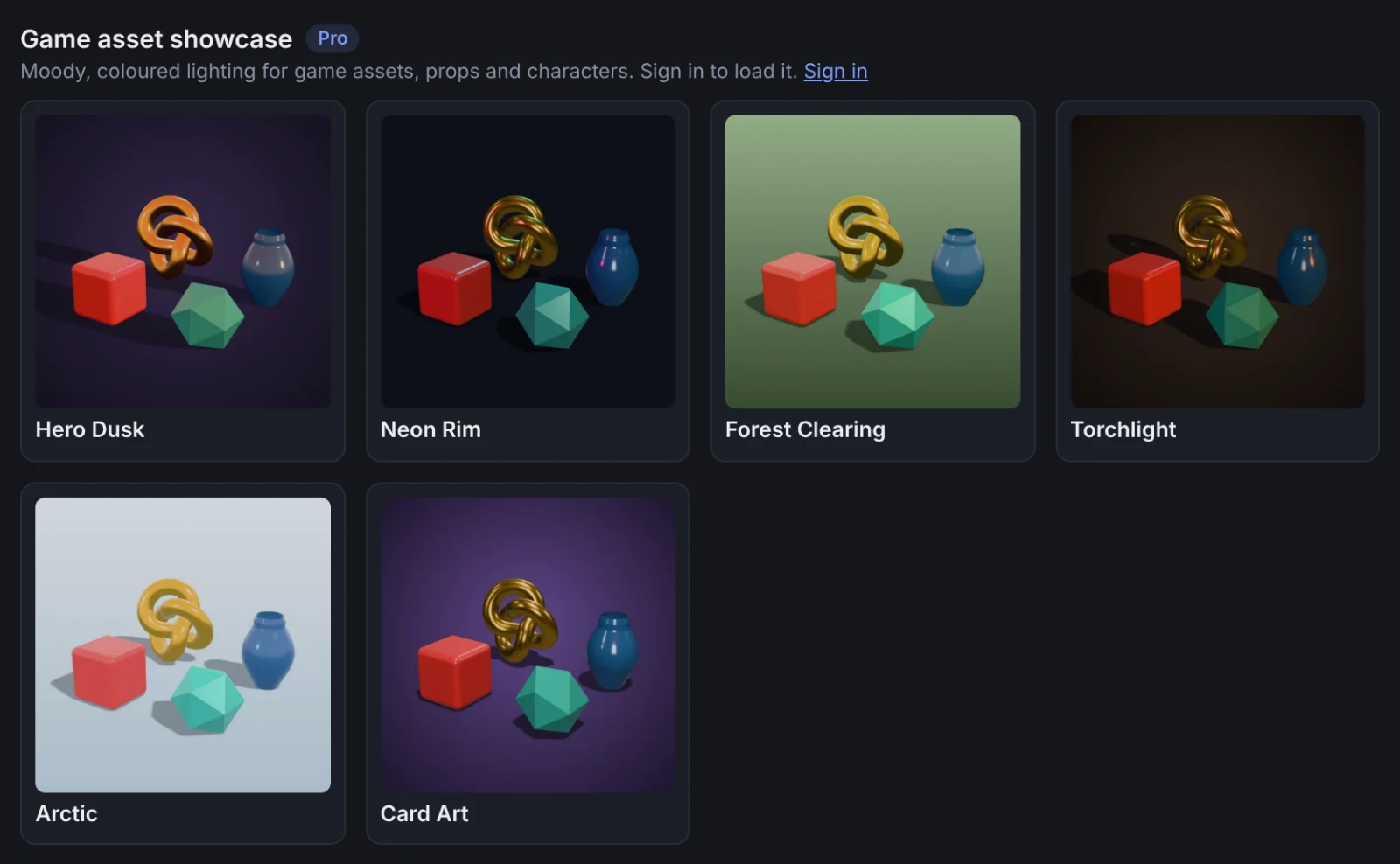 A Pro pack
The Pro pack's looks are sent by Shot3D's server only to signed-in Pro and Studio accounts, including the £1 trial. If you're on Pro and see a Sign in note, sign in and open the library again.
Frequently asked questions
Are the library looks different from the built-in presets?
Yes. The built-in presets are always in the Look presets panel. The library adds more looks, grouped by what they suit, and will grow over time.
Can I share my own looks in the library?
Not yet. The library has looks made by Shot3D only. You can save your own looks with Save look in the Look presets panel.
Do library looks work with recipes and projects?
Yes. Once applied, a look is the studio's look like any other, so saving a project or a recipe keeps it.