
3D model dimensions checker: size in mm, cm and inches
Check a 3D model's width, depth and height in millimetres, centimetres and inches, and whether it fits your 3D printer. STL, OBJ, GLB, FBX, 3MF, PLY. Free, in your browser.
Loading the tool…
Free · no sign-up · runs in your browser · files stay on your device
In short: drop a 3D model above. The tool measures its width, depth and height and shows them in millimetres, centimetres and inches, with the axes drawn on the preview. Tick Check it fits my printer and enter your build volume to see if it fits, even turned. It runs in your browser.
How to check a model's size
- Add your model, or click Try it with an example.
- Check the units. GLB and glTF are in metres by definition; 3MF records its unit. STL, OBJ, FBX and PLY don't, so the tool assumes millimetres for them. Change it if the size looks wrong.
- Check which way is up. 3D printing files use Z as up; most other 3D files use Y. The tool guesses from the format.
- Optional: tick Check it fits my printer and enter your printer's build volume.
Width, depth and height
The tool measures the bounding box, the smallest box that holds the model, along the model's own axes:
- Width runs left to right (X).
- Depth runs front to back.
- Height runs up (Z for 3D printing files, Y for most others).
The preview shows the axes: red is X, green Y and blue Z.
Does it fit my printer?
The tool compares the size with your build volume, and also tries the model turned 90° on the bed. If it still doesn't fit, you can:
- scale it down (the STL scale converter does this precisely);
- lay it on another side in your slicer;
- split it into parts that fit, and glue them.
Your printer's build volume is in its manual or on the maker's website.
When the size looks wrong
| It looks… | Likely cause | Fix |
|---|---|---|
| 1,000 times too big | Millimetres read as metres | Choose millimetres |
| 25.4 times too big or small | Inches and millimetres mixed up | Choose inches, or convert with the scale converter |
| 10 times off | Centimetres | Choose centimetres |
Example
The example rocket (a GLB, so in metres), measured with its axes shown:
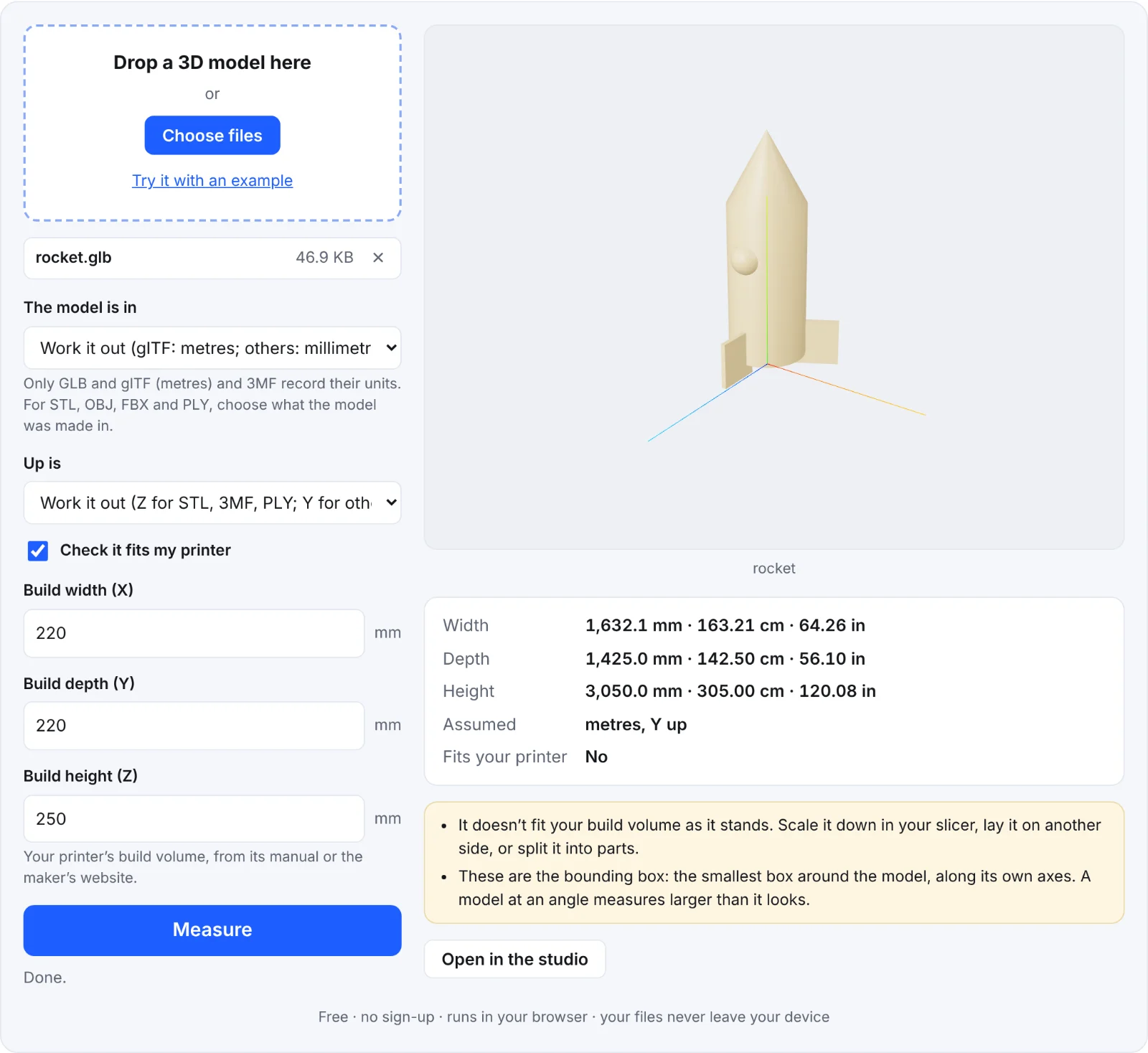 Measuring the example rocket
Frequently asked questions
Is my model uploaded?
No. It's measured in your browser.
Why is my model bigger than I expected?
The bounding box covers everything, including thin or stray parts, and a model sitting at an angle has a bigger box.
Can I measure between two points?
Not with this tool; it gives the overall size. Use your slicer's or 3D software's measuring tool.
Why does the printer check say no, though it's smaller than the bed?
Your build volume's height (Z) matters too, and the model must fit within all three sizes at once.