
3D model orthographic views: front, side and top with dimensions
Make a sheet of front, side and top orthographic views of a 3D model, all at one scale, with its width, depth and height marked. Free, in your browser, no upload.
Loading the tool…
Free · no sign-up · runs in your browser · files stay on your device
In short: drop a 3D model above. The tool renders its front, right side and top as orthographic views (no perspective, all at the same scale), adds a 3/4 view, and marks the width, depth and height on one sheet. Useful for listings, reference sheets, quotes and checking proportions. It runs in your browser.
How to make the views
- Add your model, or click Try it with an example.
- Tell the tool its units. GLB and glTF are always in metres; STL and OBJ don't say, and 3D printing files are usually in millimetres.
- Choose the units to show and a style: clay (shape only, best for reading proportions) or the model's own materials.
- Download the sheet as a PNG.
What "orthographic" means
A normal render, like a photo, has perspective: near things look bigger. An orthographic view has none: every part is drawn at the same scale, wherever it is. That's why technical drawings use them. Here all three views share one scale, so the front and side views line up and you can compare sizes directly.
How the dimensions are measured
The tool measures the bounding box: the smallest box around the model along its own axes. Width runs left to right (X), height up (Y) and depth front to back (Z), as glTF and most 3D apps arrange them. For a model sitting at an angle, the box is bigger than the object looks.
What it can't do
- Detailed dimensions (holes, distances between features): it measures the overall size only. Use CAD software for engineering drawings.
- Sheets larger than 512 px. For larger renders of each view, use the studio's camera angles.
- Z-up models: files from CAD and 3D printing use Z as up, so their views come out lying down. Turn them first with the axis fixer.
Example
The example rocket's views, with its width, depth and height:
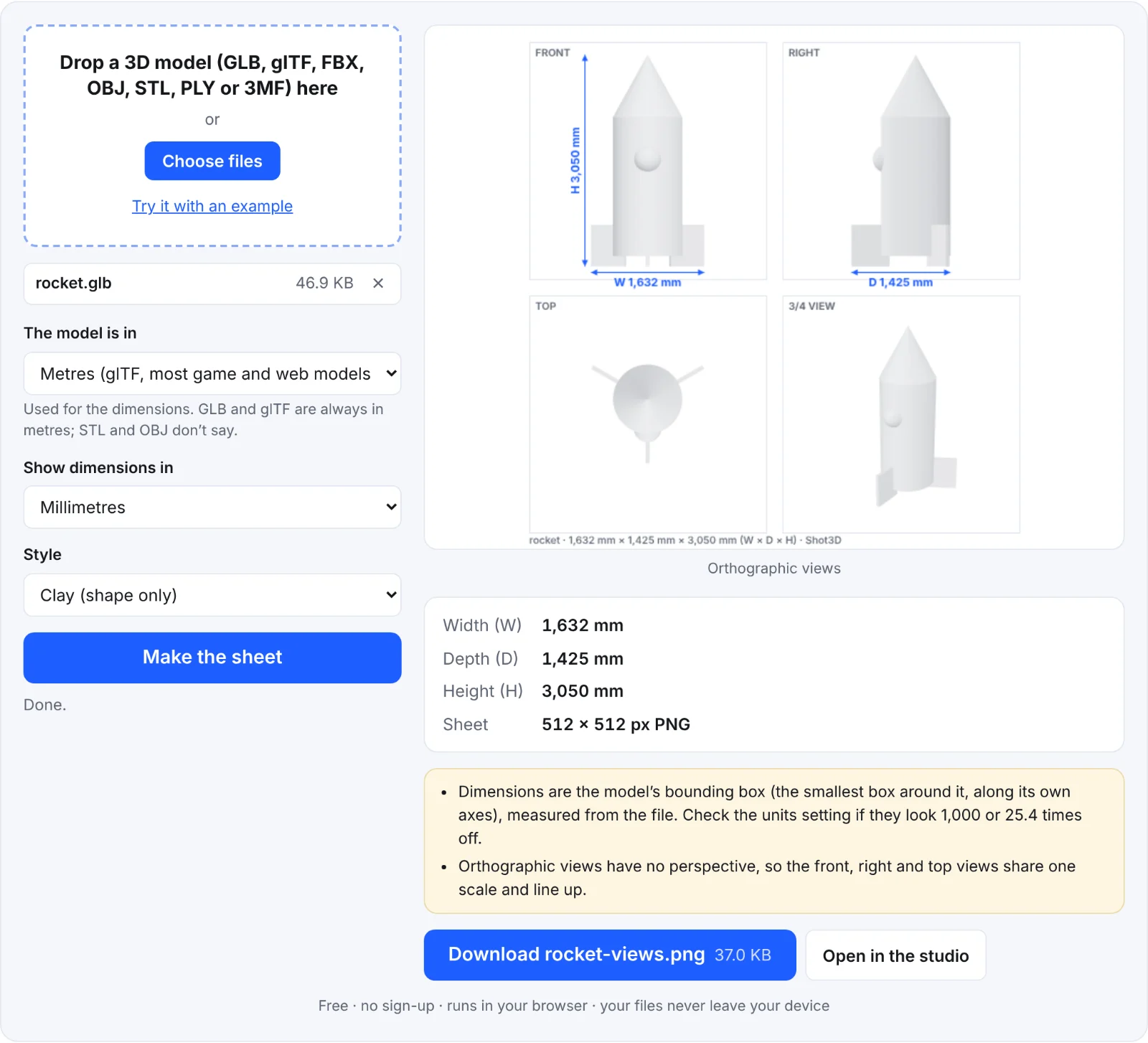 The example rocket's orthographic views
Frequently asked questions
Is my model uploaded?
No. It's rendered and measured in your browser.
The dimensions are 1,000 times too big. Why?
The model's units are set wrong. A 3D printing file in millimetres read as metres comes out 1,000 times larger. Change The model is in.
Which side is "right"?
The view from the model's right-hand side, looking towards its centre. The sheet is a simple reference layout (front, right, top and a 3/4 view), not a formal first- or third-angle engineering drawing.
Can I get just the numbers?
Yes: the dimensions checker shows the size in mm, cm and inches, and whether it fits your printer.