
3D model to sprite sheet: 4 or 8 directions for 2D games
Render a 3D model from 4 or 8 directions into one sprite sheet for 2D games, with frame data as JSON and separate frames. Side, isometric or top-down. Free, in your browser.
Loading the tool…
Free · no sign-up · runs in your browser · files stay on your device
In short: drop a 3D model above. The tool renders it from 4 or 8 directions around it, at one scale and without perspective, and lays the frames out on one sprite sheet up to 512 px wide. You also get the frame positions as JSON and each frame as a separate PNG. Ready for Godot, Unity, GameMaker and other 2D engines. It runs in your browser.
How to make a sprite sheet
- Add your model, or click Try it with an example.
- Choose 4 or 8 directions. 8 adds the diagonals, for smoother turning.
- Choose the frame size (64 to 256 px).
- Choose the camera: side view for platformers, 30° down for an isometric look, or top-down.
- Tick Sharp pixels for pixel-art games, so frames aren't smoothed.
- Download the sheet, the JSON and the separate frames.
How the frames are arranged
Frames run left to right, then top to bottom. S (south) faces the viewer, and the others turn clockwise round the model: S, SW, W, NW, N, NE, E, SE (or S, W, N, E). The JSON lists each frame's name and position:
{ "frameSize": 128, "directions": ["S", "SW", "W", "NW", "N", "NE", "E", "SE"],
  "frames": { "S": { "x": 0, "y": 0, "w": 128, "h": 128 }, "…": {} } }
Every frame uses the same orthographic camera and scale, centred on the model, so it doesn't jump in size or position as it turns.
Size limits
The sheet is up to 512 px wide: 8 directions fit at up to 128 px each (a 4 × 2 grid), and 4 directions at up to 256 px (2 × 2). For bigger frames or animated poses, render them in the Shot3D studio.
What it can't do
- Animation frames. Each direction is the model's pose as loaded. Pose your model in your 3D software for walk cycles, and render each pose.
- Normal maps or lighting data for 2D lighting.
Example
The example rocket in 8 directions at 128 px, from 30° above:
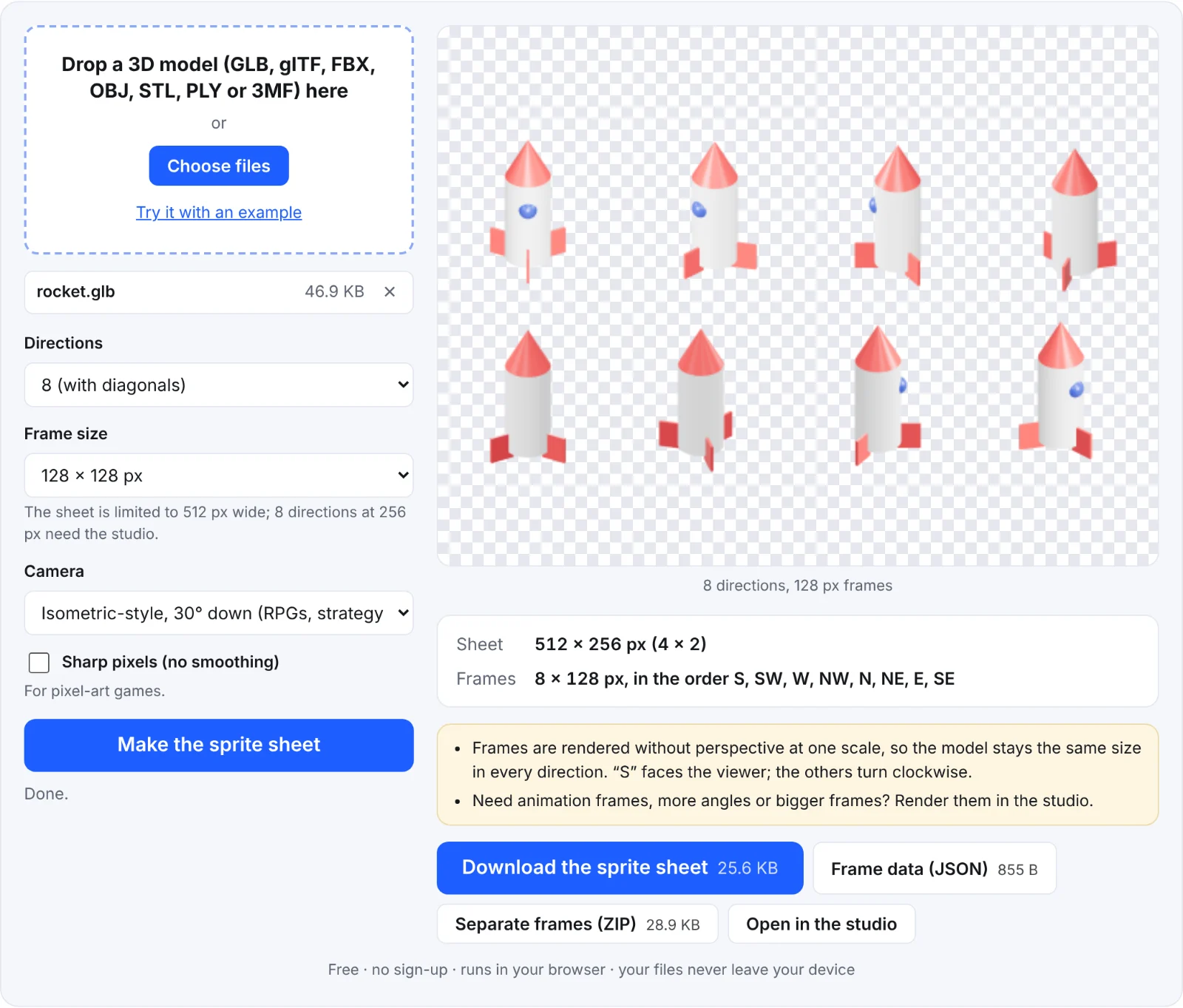 The example rocket in 8 directions
Frequently asked questions
Is my model uploaded?
No. The frames are rendered in your browser.
Why does my model face away in the first frame?
Models face different ways in different apps. If S isn't the front, turn the model in your 3D software, or rename the frames.
Which camera angle suits isometric games?
30° down, the default. Seen from a diagonal (SW, NW, NE or SE), a camera tilted 30° makes the ground's edges run at 2 pixels across for 1 up, the classic "2:1" isometric look of pixel-art games.
Can I use the frames commercially?
They're renders of your own model, so the rights are yours, as with your model.