
3D print cost calculator: filament and electricity from your model
Estimate what a 3D print costs: filament from the model's volume, walls and infill, plus electricity, using your own spool price and energy rate. Free, in your browser.
Loading the tool…
Free · no sign-up · runs in your browser · files stay on your device
In short: drop an STL (or OBJ, 3MF, PLY or GLB) above, enter your spool price, infill, print time, printer power and electricity rate. The tool estimates the filament the print uses and what the material and electricity cost, updating as you change any number. It runs in your browser.
How to estimate a print's cost
- Add your model, or click Try it with an example, and set its units (most 3D printing files are in millimetres).
- Choose the material. PLA and PETG use their manufacturer's published densities; for anything else, enter your spool's density.
- Set the infill and wall thickness you'll print with.
- Enter your prices: the spool's price and how much filament it holds, an allowance for supports and failed prints, the print time from your slicer, your printer's power and your electricity rate.
How the estimate works
A slicer works out the exact nozzle path, which this tool can't. Instead it uses a simple model, so you can see where the numbers come from:
- Walls: the model's surface area × your wall thickness (never more than the whole volume).
- Infill: the volume left inside × your infill percentage.
- Filament: (walls + infill) × density gives the weight in grams.
- Material cost: grams × (1 + your extra allowance) × (spool price ÷ grams on the spool).
- Electricity: hours × watts ÷ 1,000 gives kWh, × your price per kWh.
For example, a 20 mm cube (8 cm³, 24 cm² of surface) with 0.8 mm walls and 20% infill in PLA uses about 3.9 g. At £20 a kilo with 10% extra, that's about 9p of filament.
Getting accurate figures
- Print time: slice the model and copy the time your slicer shows.
- Printer power: varies a lot by printer and settings (the heated bed is the biggest draw). A plug-in power meter measures it; otherwise check your printer's manual.
- Filament: once sliced, your slicer's filament weight is more accurate than this estimate. Put the model in, then compare.
What it doesn't include
- Supports and brims beyond your extra allowance.
- Your time, the printer's wear, nozzles and build surfaces, packaging and postage. If you sell prints, add these to your price.
Example
The example torus knot in PLA at 15% infill, with the default prices:
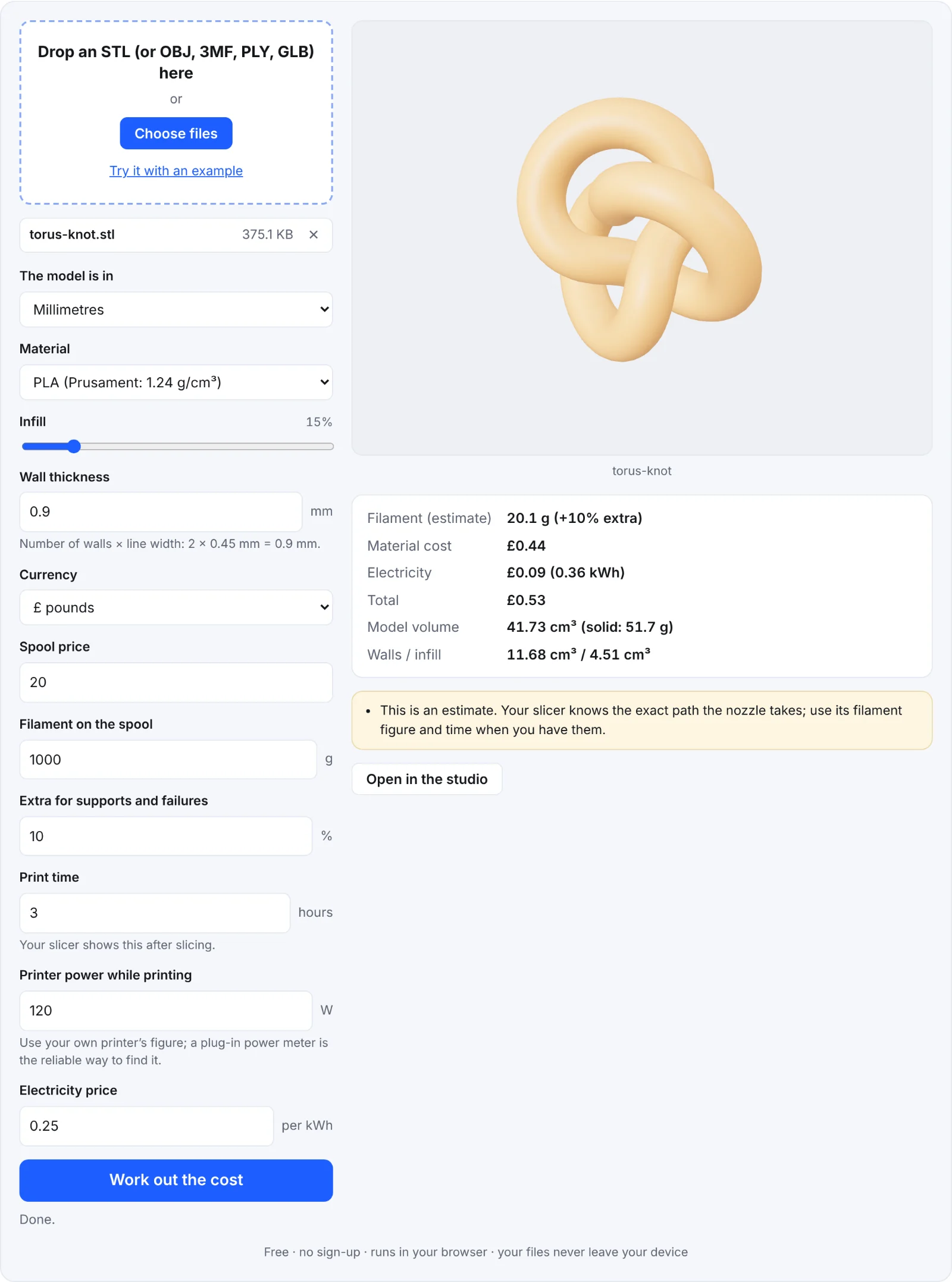 Estimating the example knot
Frequently asked questions
Is my model uploaded?
No. It's measured and priced in your browser.
Why is the estimate different from my slicer?
Slicers model the exact walls, top and bottom layers, infill pattern and supports. This tool uses an average, so expect it to be close rather than exact. Use your slicer's filament figure when you have it.
What wall thickness should I enter?
The number of walls (perimeters) × the line width. Two walls with a 0.4 mm nozzle (about 0.45 mm lines) is 0.9 mm.
Does it work for resin printers?
Partly: set infill to 100% (or your hollowing), enter your resin's density and price per bottle. Resin printers' power and time differ, so enter your own.