
STL volume calculator: volume, surface area and weight
Find an STL's volume, surface area, size and solid weight in PLA, PETG or any material, in your browser. Also checks the model is closed. Free, no upload, no sign-up.
Loading the tool…
Free · no sign-up · runs in your browser · files stay on your device
In short: drop an STL above. You get its volume in cm³ and mm³, its surface area, its size and what it weighs printed solid in PLA, PETG or a material you enter. It also tells you whether the model is closed, because volume only makes sense for a closed shape. Everything is measured in your browser.
How to use it
- Add your model. STL is the usual format; OBJ, 3MF, PLY and GLB work too. Or click Try it with an example.
- Set the units the file is in. STL doesn't record units; most 3D printing files are in millimetres.
- Choose the material. PLA and PETG use the densities their manufacturer publishes. For anything else, pick Other and type the density from your spool's label or datasheet.
The figures update as you change the settings.
How it's measured
- Volume is calculated exactly from the triangles, using the divergence theorem: each triangle forms a thin pyramid with a fixed point, and the signed volumes add up to the volume enclosed. This is exact for any closed mesh, whatever its shape or position.
- Surface area is the sum of the triangles' areas.
- Size is the bounding box: the width, depth and height of the smallest box that holds the model, along its own axes.
- Solid weight is volume × density. 1 cm³ of a material with a density of 1.24 g/cm³ weighs 1.24 g.
Material densities
| Material | Density used | Source |
|---|---|---|
| PLA | 1.24 g/cm³ | Prusament PLA technical datasheet (ISO 1183) |
| PETG | 1.27 g/cm³ | Prusament PETG technical datasheet (ISO 1183) |
| Anything else | You enter it | Your filament's or resin's datasheet |
Densities vary between brands and colours, so for an exact figure use the one for your own spool.
What it can't tell you
- The weight of a real print. Prints are usually hollow inside, with walls and a partial infill, so they use less material than the solid weight. Your slicer gives the real figure once you've chosen its settings.
- A reliable volume for an open mesh. If the model has holes or loose faces, "Closed (watertight)" shows No and the volume is only an estimate. Model Doctor in the Shot3D studio can find and fill holes.
- Units the file doesn't record. If the size looks 25.4 times off, the file is in inches; if 10 times, centimetres.
Example
The example torus knot, measured in millimetres and PLA:
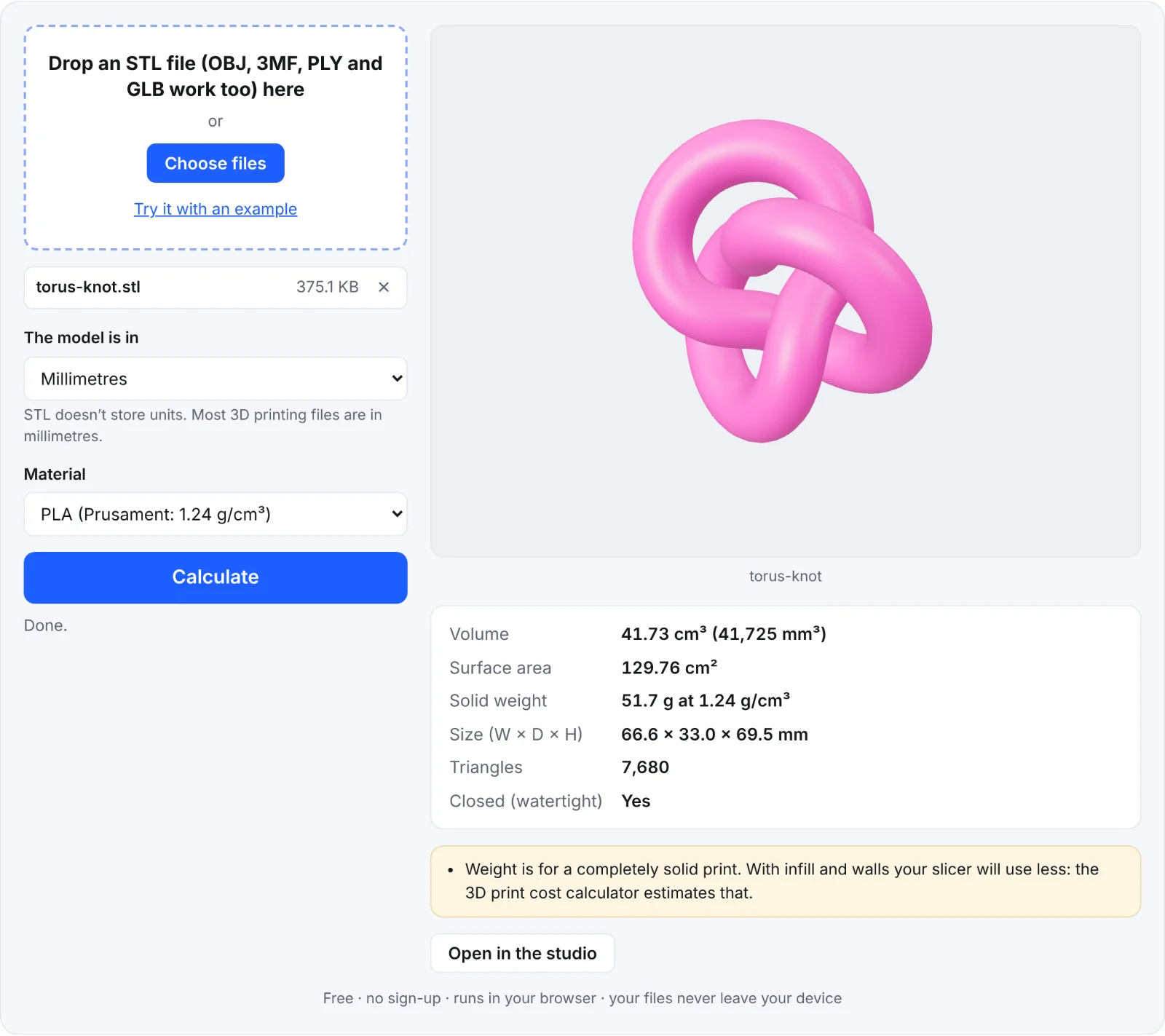 Measuring the example knot
Frequently asked questions
Is my STL uploaded?
No. The file is read and measured in your browser; nothing is sent to Shot3D.
Why does my slicer show a lower weight?
The calculator gives the weight of a solid model. Slicers print walls plus a partial infill (often 15–20%), so a real print uses less material.
What does "Closed (watertight)" mean?
That every edge of the mesh is shared by exactly two triangles, so it encloses a space with no gaps. Only then is "volume" well defined, and slicers also work best with closed models.
Can I measure resin prints?
Yes. Choose Other and enter your resin's density from its datasheet. For resin printed solid, the solid weight is close to what you'll use, plus supports.
How accurate is it?
The volume is calculated exactly from the triangles, so it's as accurate as the model. Curved surfaces made of flat triangles are slightly smaller than the true curve; a finer mesh is closer.