
STL to OBJ converter: free, online, no upload
Convert STL files to OBJ in your browser. Binary and ASCII STL, shared vertices for a smaller file, and a 3D preview. Free, no sign-up, and your file never leaves your device.
Loading the tool…
Free · no sign-up · runs in your browser · files stay on your device
In short: drop an STL file above and click Convert to OBJ. The OBJ downloads with the same shape and the same numbers, so it stays the same size in any app that reads it. It's converted in your browser: nothing is uploaded.
How to convert STL to OBJ
- Add your STL. Drop it on the tool or click Choose a file. Binary and ASCII (text) STL both work. No STL to hand? Click Try it with an example.
- Choose how corners are stored. Share corners between triangles is on by default (see below).
- Click Convert to OBJ, check the 3D preview (drag to turn it), then Download.
You can also click Open in the studio to make product images or a turntable video from the result.
Shared corners, and why the OBJ can be smaller
An STL lists every triangle separately, with its three corners written out each time. A corner where six triangles meet is stored six times. With Share corners between triangles on, the tool merges corners at exactly the same point, so each is written once and the triangles refer to it. The result:
- the OBJ is usually much smaller than an ASCII STL;
- edges are connected, so modelling apps treat the surface as one piece rather than loose triangles.
Turn it off if you need a one-to-one copy of the STL's triangle list, for example to compare files triangle by triangle.
What the conversion keeps, and what it can't
- Kept: every triangle, in the same position and orientation, and the STL's numbers exactly. STL has no units; neither does OBJ, so a model that was 50 mm in your slicer is still "50" in the OBJ.
- Not possible: colours, materials and textures. STL doesn't store them, so there's nothing to convert. If your apps show the OBJ in grey, that's why.
- Not possible: quads or n-gons. STL is made of triangles only, so the OBJ is too. This tool can't rebuild the original quads.
- Not repaired: holes, flipped faces or overlapping parts stay as they were. Model Doctor in the Shot3D studio checks and fixes common problems.
Example
A 60 mm torus knot STL converted to OBJ. The tool shows the model and the before-and-after numbers:
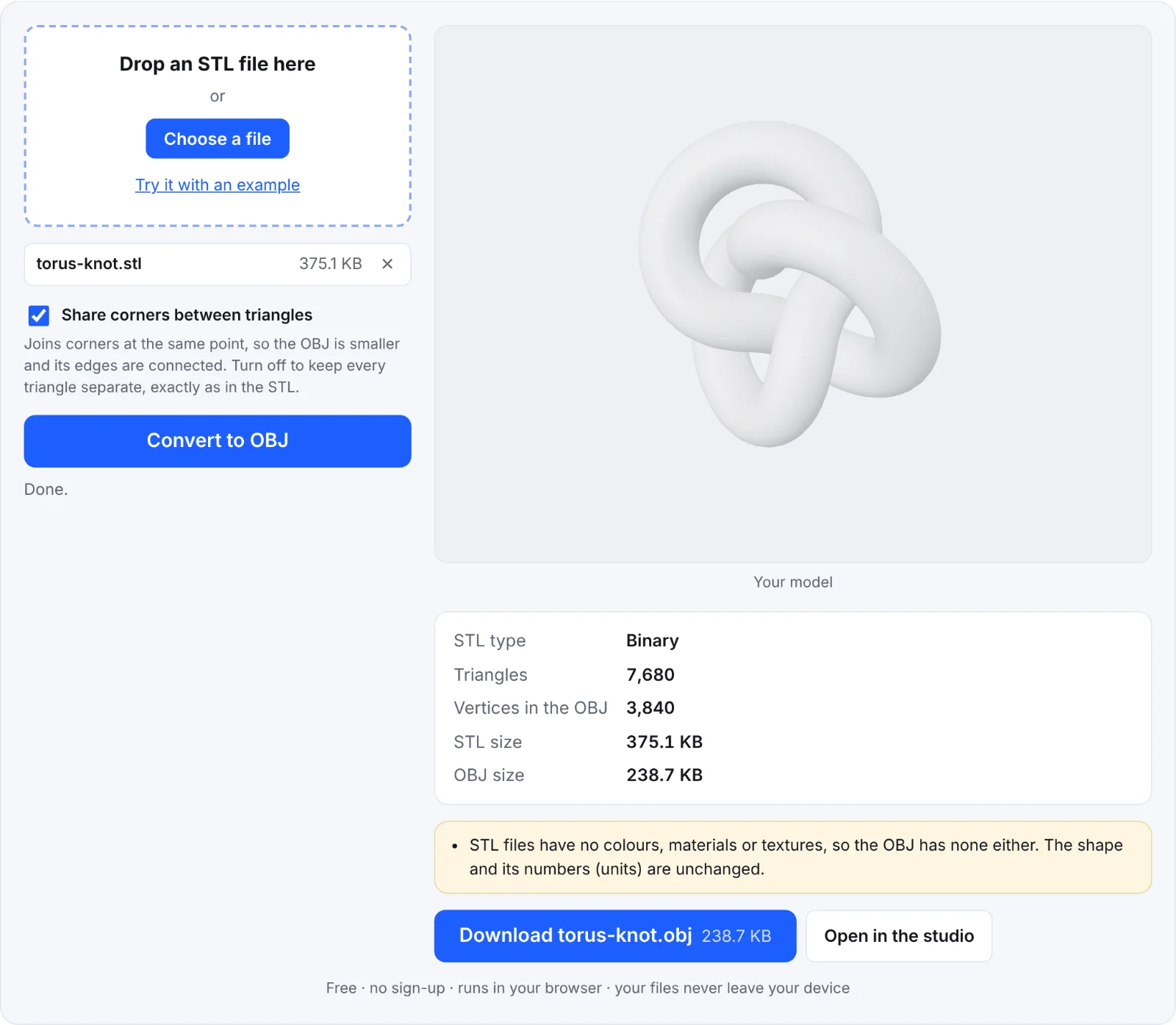 A converted torus knot, with the file sizes
Frequently asked questions
Is my STL file uploaded?
No. The conversion runs in your browser, on your device. The file isn't sent to Shot3D or anywhere else, and the page works offline once it has loaded.
Will the OBJ be the same size as my STL in other software?
Yes. The numbers are copied exactly. If your OBJ looks 1,000 times too small or large in another app, that app is assuming different units (metres instead of millimetres); change the import scale there.
Why is my OBJ grey?
STL files have no colours or materials, so there's nothing to carry across. Add materials in your 3D software, or open the model in the Shot3D studio and use its materials and looks for your images.
What's the largest file I can convert?
Up to 300 MB. Very large files take longer, because everything is processed on your device; a phone may run out of memory sooner than a computer.
Can I convert OBJ back to STL?
Yes: use the OBJ to STL converter.