
GLB to STL converter: free, online, ready for 3D printing
Convert GLB or glTF to STL in your browser, scaled from metres to millimetres and stood upright for your slicer. Free, no sign-up, no upload: your file stays on your device.
Loading the tool…
Free · no sign-up · runs in your browser · files stay on your device
In short: drop a GLB (or a glTF with its .bin file) above and click Convert to STL. The tool merges every part into one printable mesh, converts metres to millimetres, stands it upright and puts it on the build plate. It runs in your browser; nothing is uploaded.
How to convert GLB to STL
- Add your GLB, or a .gltf with its .bin and textures, or click Try it with an example.
- Check the settings (the defaults suit slicers such as PrusaSlicer, Cura, Bambu Studio and OrcaSlicer):
- Metres to millimetres: glTF is in metres, slicers read STL in millimetres.
- Stand it upright: glTF's up is Y, a slicer's is Z.
- Put it on the build plate: moves the lowest point to zero and centres the model.
- Binary STL is smaller; ASCII STL is plain text, for software that needs it.
- Click Convert to STL, check the size shown, then Download.
What the conversion keeps, and what it can't
- Kept: the shape of every visible mesh, in its place in the scene.
- Merged: all parts become one mesh. STL has no way to keep separate objects.
- Lost: colours, materials, textures and animations. STL stores triangles only. A multi-colour model needs 3MF, which your 3D software or slicer can export.
- Not checked: printability. A model made for games or the web may have holes, paper-thin walls or floating parts. Check it in your slicer, or run it through Model Doctor in the Shot3D studio.
Example
The example rocket (four separate parts) merged into one STL at real-world size:
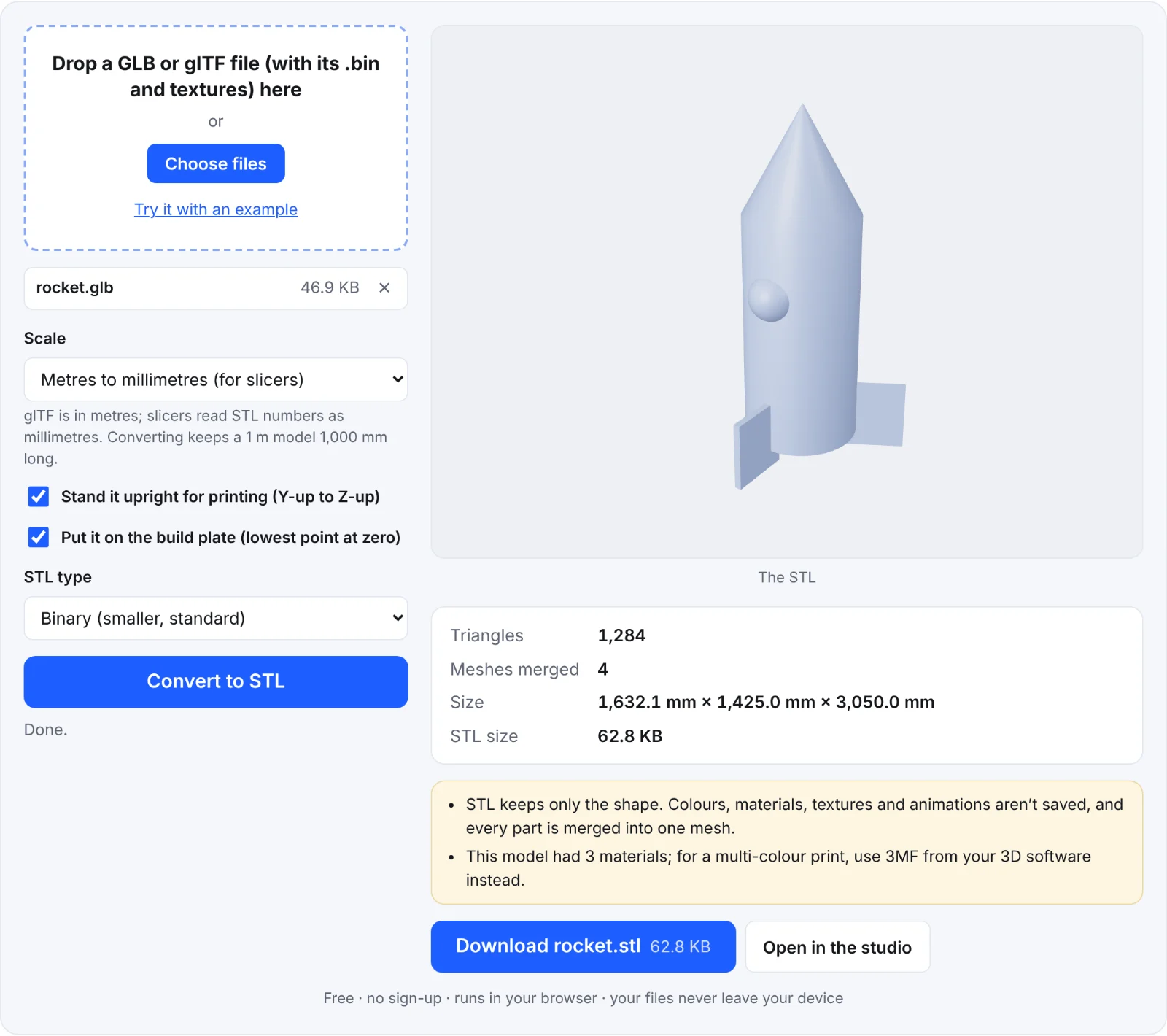 The example rocket as an STL
Frequently asked questions
Is my file uploaded?
No. The GLB is read and the STL written in your browser. Nothing is sent to Shot3D.
My model is tiny in the slicer. What happened?
The GLB was probably modelled at a very small scale, or already in millimetres. Convert again with Keep the numbers as they are, or scale it in your slicer.
Why is it lying on its side?
The model was made with a different up axis from the usual glTF one. Convert again with Stand it upright switched off.
Can I keep the colours for a multi-colour printer?
Not in STL, which has no colour. Export 3MF from your 3D software or slicer instead.
Does it work with Draco-compressed GLB files?
Yes. Draco and Meshopt compressed GLBs are decompressed in your browser.