
3D model polygon reducer: lower the triangle count online
Reduce a 3D model's polygon count in your browser with a slider and before-and-after previews, keeping its shape and textures as far as possible. Free, no upload.
Loading the tool…
Free · no sign-up · runs in your browser · files stay on your device
In short: drop a 3D model above and slide Keep to the share of triangles you want. The tool simplifies the mesh, keeping its shape as closely as it can, and shows it before and after so you can compare. Download the result as a GLB (and as an STL for 3D printing files). It runs in your browser.
How to reduce polygons
- Add your model (any format the studio opens), or click Try it with an example: a dense 3D scan.
- Slide Keep to the percentage of triangles to keep. The previews update.
- Choose the shape accuracy: Strict won't change the shape noticeably, even if that means more triangles; Loose reaches your target even if details soften.
- Turn both previews to compare, then Download.
How it works
The tool uses meshoptimizer's simplifier (MIT), through glTF-Transform. It repeatedly collapses the edge whose removal changes the shape least, until it reaches your target or the next change would move the surface by more than your accuracy setting allows. Flat areas lose triangles first; sharp features and silhouettes are kept as long as possible. Texture coordinates are kept, so textures still fit.
When to use it
- 3D scans and photogrammetry, which often have millions of triangles more than they need.
- Game and web assets that must meet a triangle budget.
- Sculpts that need a lighter preview version.
What it changes, and what it can't do
- The shape changes. Small details are smoothed away first. Always compare before and after.
- Topology is not clean quads. The result is triangles arranged for accuracy, not a quad layout for animation. For that, retopologise in your 3D software.
- Hard targets: with Strict or Balanced accuracy, it may stop above your target. The tool says when.
Example
The example pebble scan reduced to 25% of its triangles:
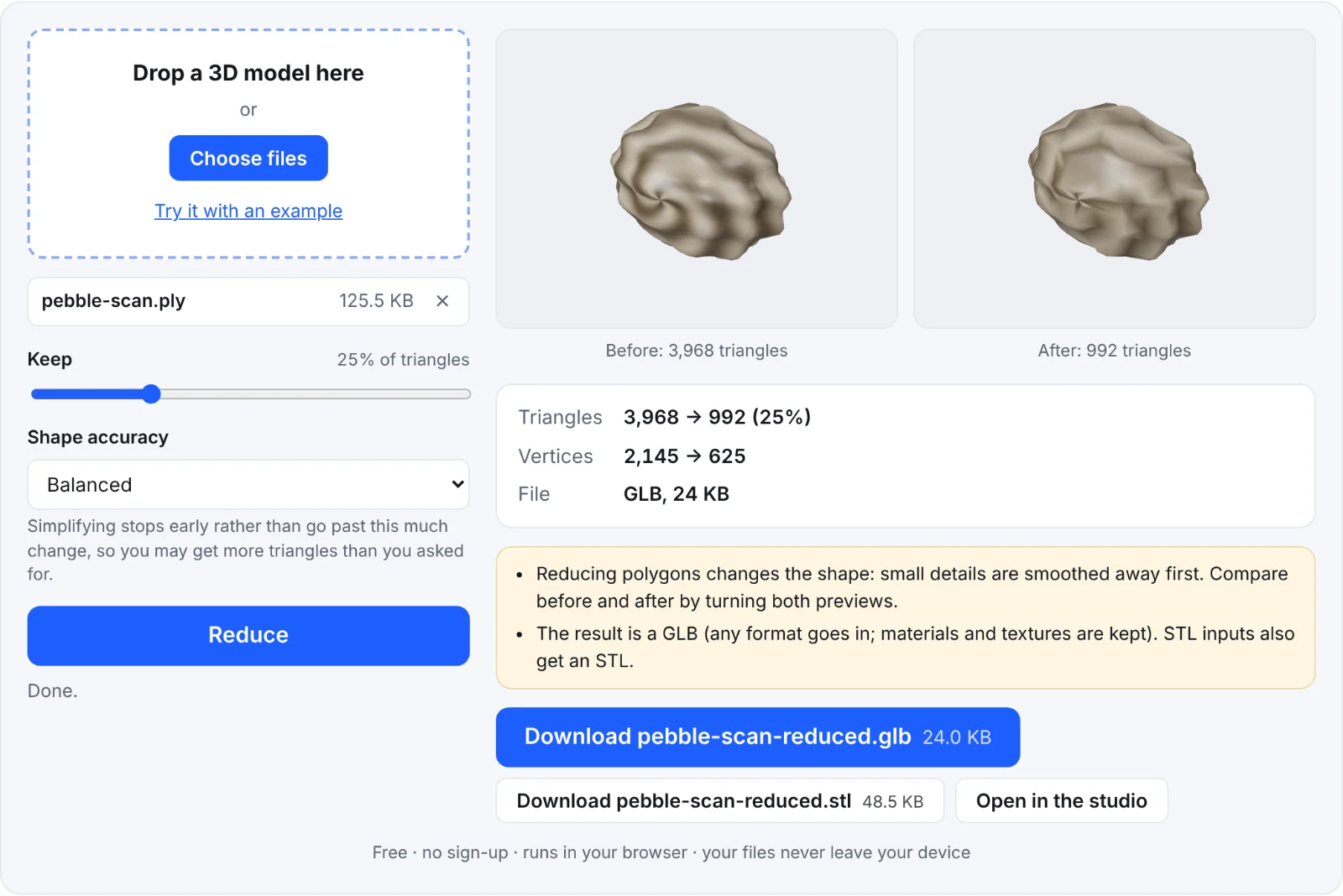 Reducing the example scan
Frequently asked questions
Is my model uploaded?
No. It's simplified in your browser.
Why did it stop before my target?
Going further would change the shape more than your accuracy setting allows. Choose Loose to keep going.
Will my textures still fit?
Yes: texture coordinates are kept, and seams are respected. Very low targets can stretch textures at the edges.
What format do I get?
A GLB, whatever you put in, with materials and textures. STL, PLY and 3MF inputs also get an STL.