
GLB compressor: shrink glTF models with Draco or Meshopt
Compress GLB files in your browser with Draco or Meshopt geometry compression and quantisation, with before and after sizes. Free, no sign-up, nothing uploaded.
Loading the tool…
Free · no sign-up · runs in your browser · files stay on your device
In short: drop a GLB above and choose Meshopt or Draco. The tool cleans up unused and duplicate data, stores the geometry compactly and compresses it, and shows the size before and after. Smaller GLBs load faster on websites, in AR and in apps. It runs in your browser; the compression code is served from shot3d.co.uk.
How to compress a GLB
- Add your GLB, or click Try it with an example (a detailed knot with plenty of geometry).
- Choose the compression:
- Meshopt decodes very fast; three.js, Babylon.js and model-viewer support it.
- Draco often makes geometry smallest, and is the most widely supported, including Blender's glTF importer.
- Clean up only removes unused and duplicate data without compressing.
- Quantise vertex data (on by default) for a much smaller file with no visible change.
- Download the compressed GLB, and check it in your viewer or engine.
What happens to your file
- Clean-up: unused materials, textures and buffers are removed, and identical ones merged.
- Welding: identical corners are merged so they're stored once.
- Quantisation: positions, normals and texture coordinates are stored as small whole numbers instead of 32-bit decimals (the glTF
KHR_mesh_quantizationextension). The rounding is far finer than you can see on screen. - Compression: the geometry is encoded with Meshopt (
EXT_meshopt_compression) or Draco (KHR_draco_mesh_compression).
Materials, animations and the scene stay as they were. Textures aren't touched: if they're most of the file, use the GLB texture resizer as well.
Will my app open it?
Compressed GLBs need a viewer that supports the extension. three.js, Babylon.js and <model-viewer> support both (three.js needs its Draco or Meshopt decoder set on the loader). Support in desktop apps and game engines varies, so check yours before replacing your original, and keep the original as a master copy.
The tool uses glTF-Transform (MIT), meshoptimizer (MIT) and Google's Draco (Apache 2.0), all running on your device.
Example
The example knot compressed with Meshopt:
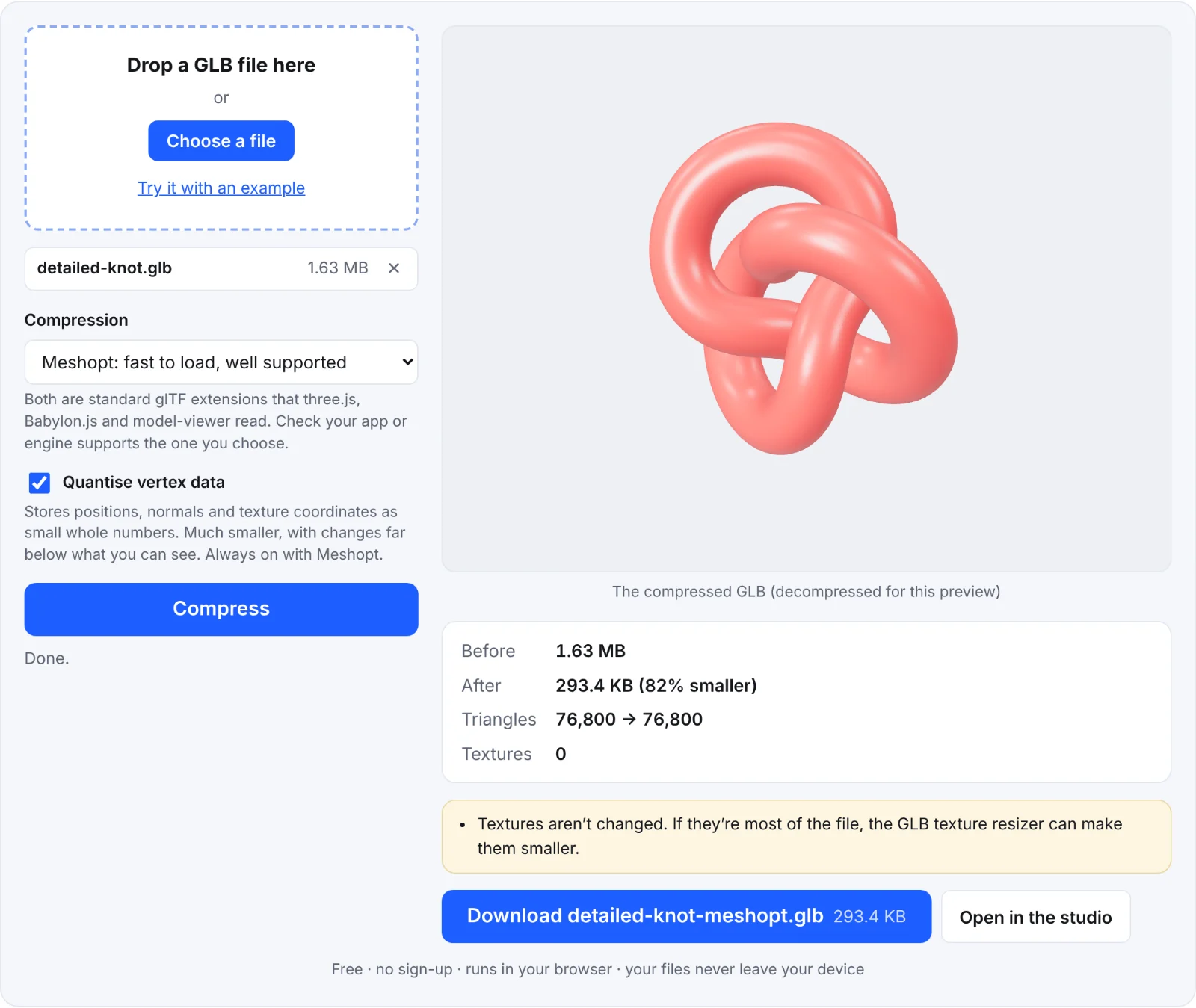 Compressing the example knot
Frequently asked questions
Is my file uploaded?
No. The compression runs in your browser. The compression code itself is downloaded from shot3d.co.uk the first time you use it, like the rest of the page.
Draco or Meshopt?
Try both and compare: the tool shows the sizes. Meshopt decodes faster, which helps on phones; Draco is often a little smaller.
My file barely shrank. Why?
Most of it is probably textures, which this tool doesn't change, or it was already compressed.
Does it change how the model looks?
Not visibly. Quantisation rounds positions very slightly; the welding and clean-up don't change the shape.