
QR code to STL generator: 3D-printable QR codes
Make a 3D-printable QR code from any link or text: raised modules on a plate, sized for your printer, with a flat copy to test-scan first. Free, in your browser.
Loading the tool…
Free · no sign-up · runs in your browser · files stay on your device
In short: type a link or text above. The tool makes a QR code, turns it into a plate with raised squares, and gives you an STL. It also shows a flat copy of the code, so you can scan it with your phone before printing. It runs in your browser.
How to make a 3D-printed QR code
- Type the link or text the code should contain.
- Choose the error correction: Medium suits most uses; High keeps working when the code is scratched or dirty.
- Set the code width, the plate thickness and how far the squares stand up.
- Scan the flat copy with your phone to check it opens the right thing.
- Download the STL.
Printing it so it scans
A QR code needs strong contrast between dark and light:
- Two colours: print the plate in white or another light colour and change to black at the top of the plate. In your slicer, add a colour change or pause at height at the height the tool gives.
- Big enough squares: each square ("module") should be at least about 1.2 mm across for a 0.4 mm nozzle. The tool warns you if they're smaller. Shorter text makes fewer, bigger squares.
- Keep the light border. The QR standard asks for a border four squares wide around the code, so phones can find it. You can go down to two if space is tight, but four is safest.
Error correction
QR codes repeat some of their data so they still scan when part is damaged:
| Level | Can recover | Use for |
|---|---|---|
| Low | About 7% | Clean, indoor codes; makes the fewest squares |
| Medium | About 15% | Most uses |
| Quartile | About 25% | Codes that get handled |
| High | About 30% | Outdoor or rough use |
Higher levels need more squares for the same text, so each square is smaller at the same width.
Ideas
- A Wi-Fi sign: type
WIFI:T:WPA;S:YourNetwork;P:YourPassword;;and phones will offer to join. - A link to your shop or portfolio, on a stand by your stall.
- A label on a storage box linking to a list of what's inside.
What it can't do
- Logos in the middle of the code.
- Engraved (cut-in) codes.
- Codes on curved surfaces.
Example
A code for shot3d.co.uk, 60 mm wide, raised 1 mm on a 2 mm plate, with its flat copy:
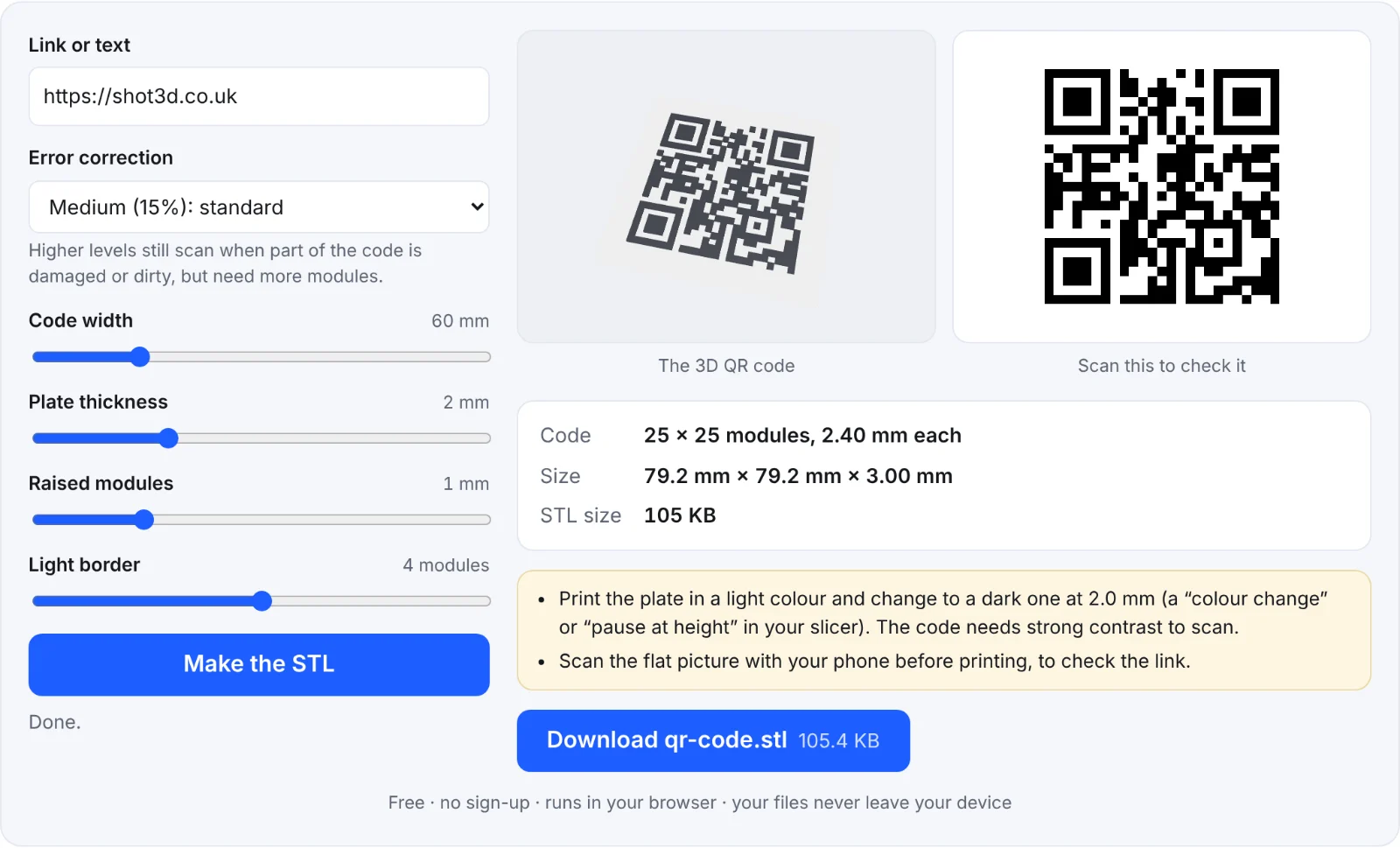 A 3D QR code and its test copy
Frequently asked questions
Is my link sent anywhere?
No. The code is made in your browser.
Does the QR code expire?
No. It contains your text directly, with no tracking link in between, so it works for as long as the link inside it does.
My printed code won't scan. Why?
Usually the contrast is too low (one colour, or similar colours), the squares are too small for your nozzle, or the light border was trimmed. Try two contrasting colours and a larger size.
What QR library does it use?
qrcode-generator, an open-source (MIT) implementation of the QR code standard.