
Text to STL generator: 3D-printable nameplates and signs
Type text and get a 3D-printable STL: raised letters on a plate, or letters on their own, in your choice of font, size and thickness. Free, in your browser, no upload.
Loading the tool…
Free · no sign-up · runs in your browser · files stay on your device
In short: type your text above. The tool turns it into 3D letters, raised on a plate or on their own, and gives you an STL to print: a name for a desk or door, a label, a sign or a keyring. Choose the font, letter height and thickness; the preview updates as you type. It runs in your browser.
How to make 3D text
- Type your text. Press Enter for a new line, and choose how lines line up.
- Choose a font, bold or italic.
- Set the letter height (the height of capital letters, in mm) and the text thickness.
- Choose a backing plate: none, a rectangle or a rounded rectangle, with its thickness and margin.
- Download the STL.
Sizes that print well
With a standard 0.4 mm nozzle:
- Letters 8 mm high or more keep their shapes. Smaller text works, but thin strokes in letters like e and s blur.
- Bold fonts print more reliably than thin ones.
- 2–3 mm thick letters on a 2 mm plate make a sturdy sign.
Two colours with one nozzle
Print the plate in one colour and the letters in another without a multi-material printer: in your slicer, add a colour change (or "pause at height") at the top of the plate. The tool tells you the height. The printer pauses there, you swap filament, and it carries on.
Fonts
The fonts are your device's own, chosen by style (sans serif, serif, rounded, monospace, condensed and a bold display face), so nothing is downloaded. The same style can look slightly different on another computer or phone, and the STL keeps the look from the device you made it on.
How it works: the tool draws your text at about 0.08 mm per pixel, traces the edges of every letter (including holes like the middle of an o) into smooth outlines, and extrudes them.
What it can't do
- Your own font files. Only the font styles listed.
- Engraved (cut-in) text. The letters stand up from the plate.
- Curved text or text on a 3D surface.
Example
"Shot3D" in bold sans serif, 15 mm letters, raised 3 mm on a rounded plate:
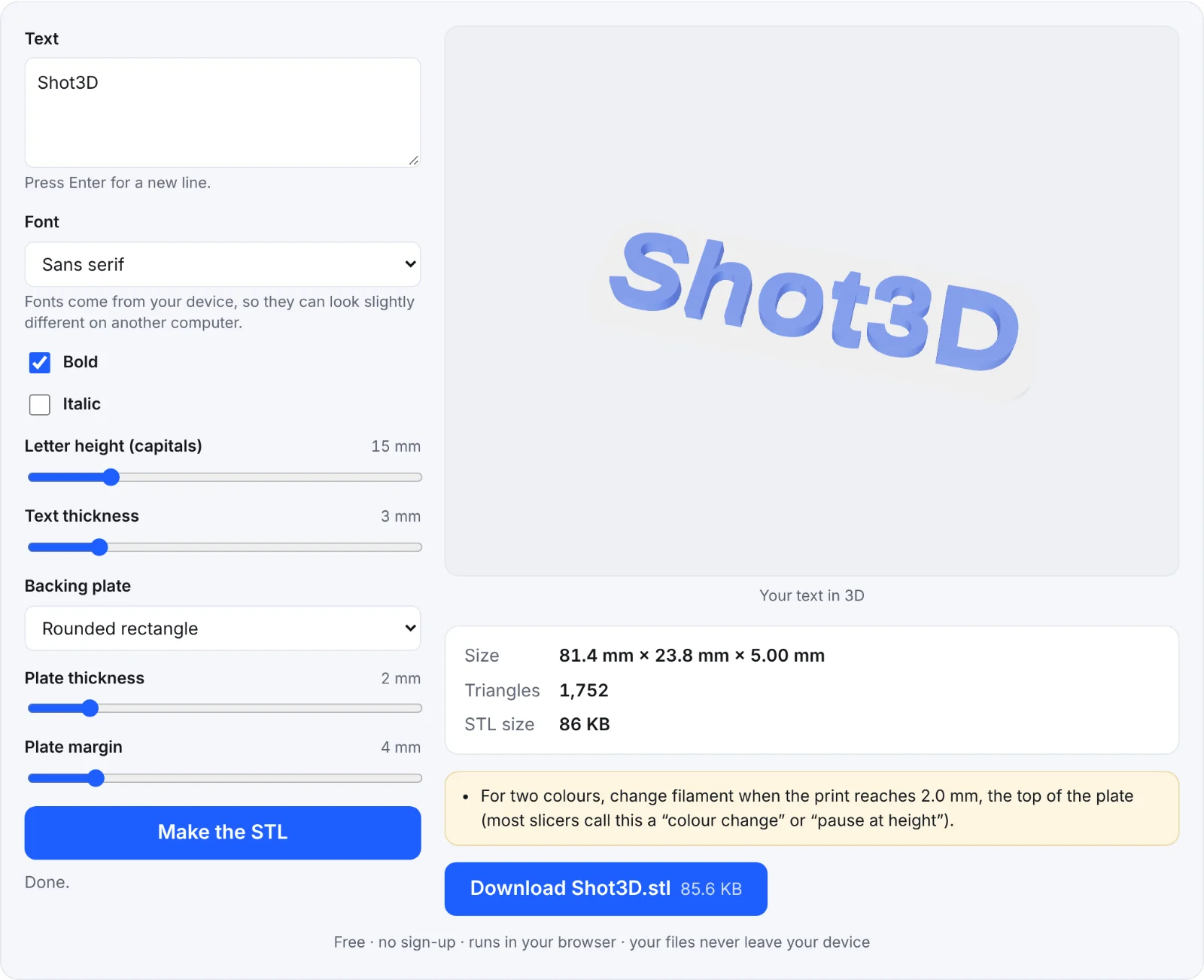 Raised text on a plate
Frequently asked questions
Is my text sent anywhere?
No. It's drawn and turned into a 3D model in your browser.
Why do some letters print as separate pieces without a plate?
Letters with parts that don't touch (i, j, and accents) are separate shapes. Add a plate, or glue them.
Can I make a keyring?
Yes: add a plate with a wide margin, and drill or melt a hole afterwards, or add a ring in your slicer or 3D software.
My language's characters look wrong. Why?
The fonts come from your device. If a character isn't in that font, your device substitutes another. Try a different font style.