
SVG to STL converter: extrude logos and drawings for 3D printing
Turn an SVG into a 3D-printable STL in your browser: exact shapes or traced outlines, any thickness, with an optional backing plate. Free, no sign-up, no upload.
Loading the tool…
Free · no sign-up · runs in your browser · files stay on your device
In short: drop an SVG file above. The tool extrudes its shapes into a solid at the width and thickness you choose, optionally on a backing plate, and gives you an STL for your slicer. Use it for logos, signs, badges, keyrings and wall art. It runs in your browser.
How to turn an SVG into an STL
- Add your SVG, or click Try it with an example: a heart, a star and a ring.
- Choose how to read it (see below). Exact shapes suits most logos.
- Set the width of the whole design and its thickness.
- Optional: add a backing plate, with its thickness and margin.
- Download the STL.
Exact shapes or traced?
| Exact shapes | As drawn (traced) | |
|---|---|---|
| How | Reads the SVG's paths and their curves directly | Draws the SVG as a browser would, then follows its edges |
| Accuracy | Exact curves | To about 0.1 mm |
| Filled shapes | Yes | Yes |
| Outlines (strokes) | No: left out, and the tool tells you | Yes |
| Text in the SVG | Only if converted to paths | Yes, as drawn |
| Best for | Logos and icons made of filled shapes | Line art, outlines, text |
If your design is mostly lines (a drawing made with the pen tool, unfilled shapes), use As drawn. In design software you can also turn strokes into shapes ("outline stroke" or "stroke to path") and use Exact shapes.
What it can't do
- Colours. STL has no colour, and every shape is the same height. For a multi-colour print, save each colour as its own SVG, extrude each one, and put them together in your slicer.
- Different heights per shape. Everything is extruded to one thickness. Make a second STL for raised details.
- Gradients, images and filters inside the SVG aren't shapes, so Exact shapes ignores them; As drawn traces whatever's dark or opaque.
Example
The example SVG extruded 3 mm thick, 80 mm wide:
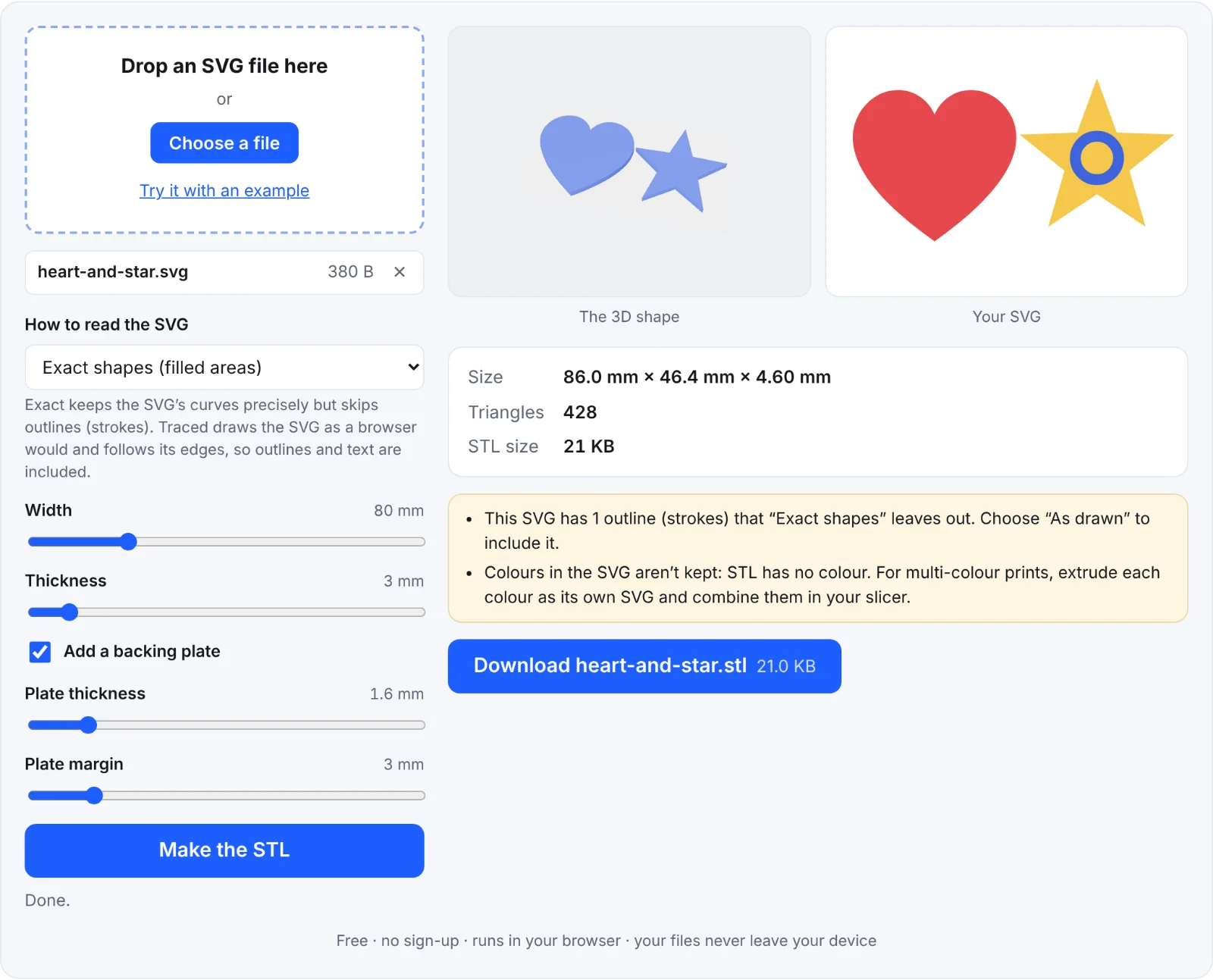 The example SVG extruded
Frequently asked questions
Is my SVG uploaded?
No. It's read and extruded in your browser.
Some parts of my logo are missing. Why?
They're probably outlines (strokes) rather than filled shapes. Choose As drawn, or convert the strokes to shapes in your design software.
Holes in letters are filled in. What's wrong?
The SVG may draw the hole as a separate white shape on top, rather than a real hole. Choose As drawn, which follows what's visible, or fix the path in your design software.
How thick should a sign or keyring be?
Around 3 mm on a 2 mm plate is sturdy for a keyring. Very thin parts (under about 1 mm wide) may not print cleanly with a 0.4 mm nozzle.
Can I make text without an SVG?
Yes, with the text to STL tool.