
Remove image background: free, on your device, no upload
Remove the background from a photo with an AI model that runs on your device, so your image is never uploaded. Adjust the edge, get a transparent PNG or white JPEG. Free.
Loading the tool…
Free · no sign-up · runs in your browser · files stay on your device
In short: drop a photo above. A small AI model, running entirely in your browser, finds the main subject and removes the background, giving you a transparent PNG or the subject on white. Adjust the cut-off and edge softness to taste. Your photo is never uploaded, unlike most background removers.
How to remove a background
- Add a photo with one clear subject, or click Try it with an example.
- Wait for the model to load the first time (about 16 MB, from shot3d.co.uk). After that it's cached.
- Adjust the result:
- Cut-off: higher removes more, lower keeps more.
- Edge softness: softer edges blend better; crisper edges suit hard objects.
- Choose transparent (PNG) or on white (JPEG), and Download.
How it works, and why it's private
The tool uses U²-Net, a published image segmentation model designed to find the most noticeable object in a picture (the small version, "u2netp", released under the Apache 2.0 licence). It runs with ONNX Runtime Web (MIT), in your browser's own WebAssembly engine. Both are served from shot3d.co.uk. Your photo isn't sent anywhere: not to Shot3D, and not to an AI service.
The model looks at a 320 × 320 version of your photo and marks how likely each part is to be the subject. That mask is scaled back up to your photo's full size and used as its transparency.
What works well, and what doesn't
| Works well | Struggles |
|---|---|
| Products, objects, people and pets with a clear outline | Hair, fur and fine wisps |
| Subjects that contrast with the background | Subjects the same colour as the background |
| One main subject | Several subjects, or busy scenes |
| Studio and simple backgrounds | Glass, smoke and see-through objects |
Because the mask is worked out at 320 × 320, edges on large photos follow the subject less tightly than a professional cut-out. For the cleanest product images, shoot on a plain background, or render 3D products in the Shot3D studio with a transparent background.
Example
The example cupcake photo with its background removed:
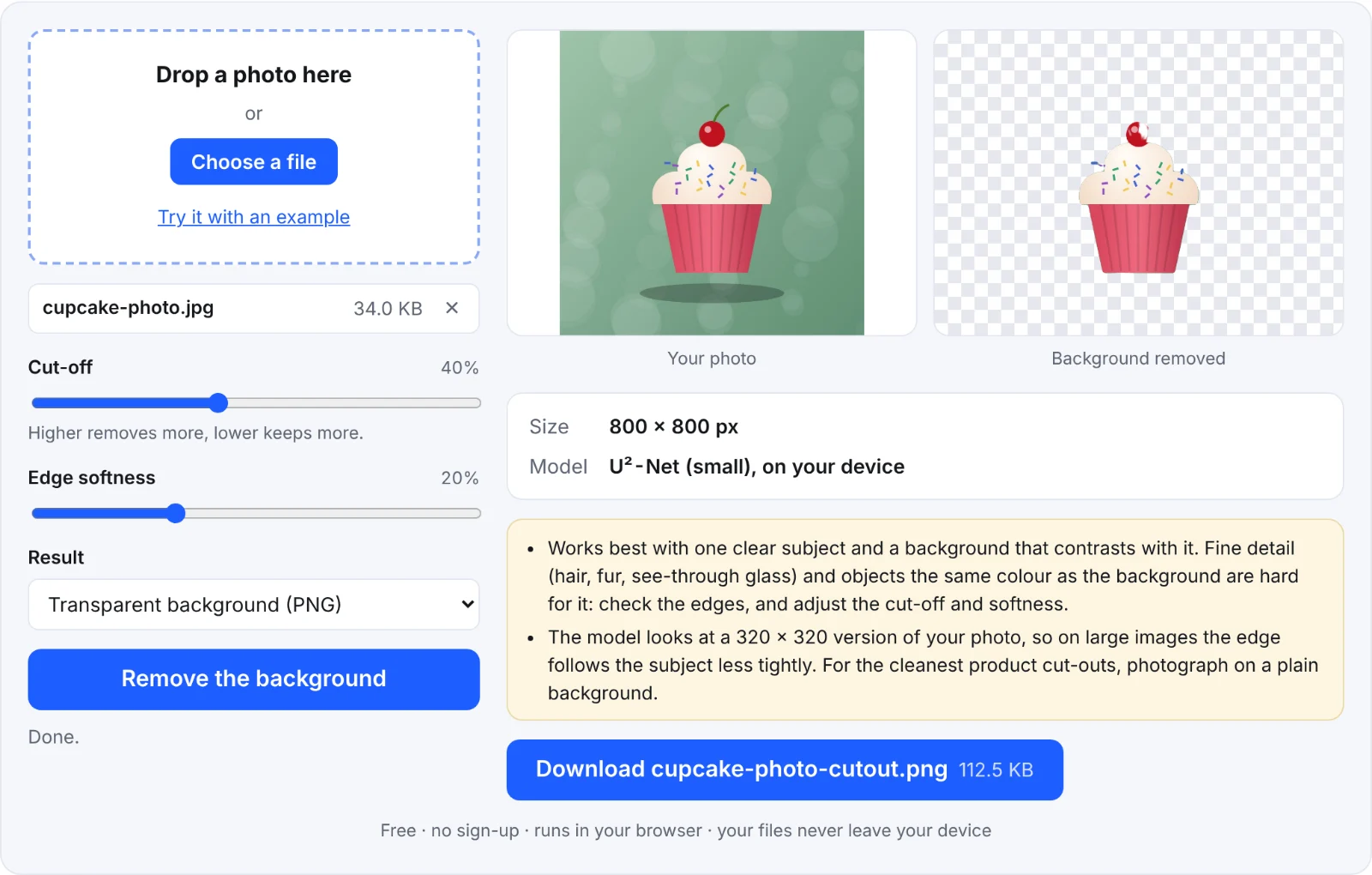 Removing a background
Frequently asked questions
Is my photo uploaded?
No. The model runs in your browser, on your device. Only the model itself is downloaded, from shot3d.co.uk.
Why does the first run take a while?
The model and its runtime (about 16 MB) load the first time. Your browser caches them, so later runs start quickly.
Can I use the results commercially?
Your cut-outs are your images. The model is released under the Apache 2.0 licence, which allows commercial use.
The edges aren't clean. What can I do?
Try a higher Cut-off and lower Edge softness, or start from a photo with a plainer background. For hair and fur, a manual cut-out in an image editor is still more accurate.