
Trim transparent image: crop the empty space around a PNG
Crop away the empty transparent space around a PNG in your browser, keeping a margin if you like, or make it square. Shows exactly what was removed. Free, no upload.
Loading the tool…
Free · no sign-up · runs in your browser · files stay on your device
In short: drop a PNG with empty transparent space around it. The tool finds the edges of what's actually there and crops away the rest, optionally keeping an even margin or making the result square. It runs in your browser.
How to trim a transparent image
- Add a PNG (or WebP) with transparency, or click Try it with an example.
- Keep a margin if you want breathing room round the edges.
- Ignore nearly invisible pixels so faint shadows or stray soft pixels don't stop the crop.
- Make it square for icons and avatars: the image is centred in a square.
- Download the trimmed PNG.
When it helps
- Product cut-outs exported with lots of empty canvas.
- Renders with transparent backgrounds, before placing them in a layout.
- Sprites and icons that need tight, consistent bounds.
- Logos for websites, so they line up with text.
How it works
The tool checks every pixel's transparency and finds the smallest rectangle containing all the pixels above the threshold. Everything outside is cropped; nothing inside is changed. The figures show how much was removed from each side.
What it can't do
- Trim a solid background, such as white: only transparent space is trimmed. For product photos on white, place them on white, which detects a white background.
- Remove a background. It only crops around what's there.
Example
The example cupcake with lots of empty space, trimmed to its edges:
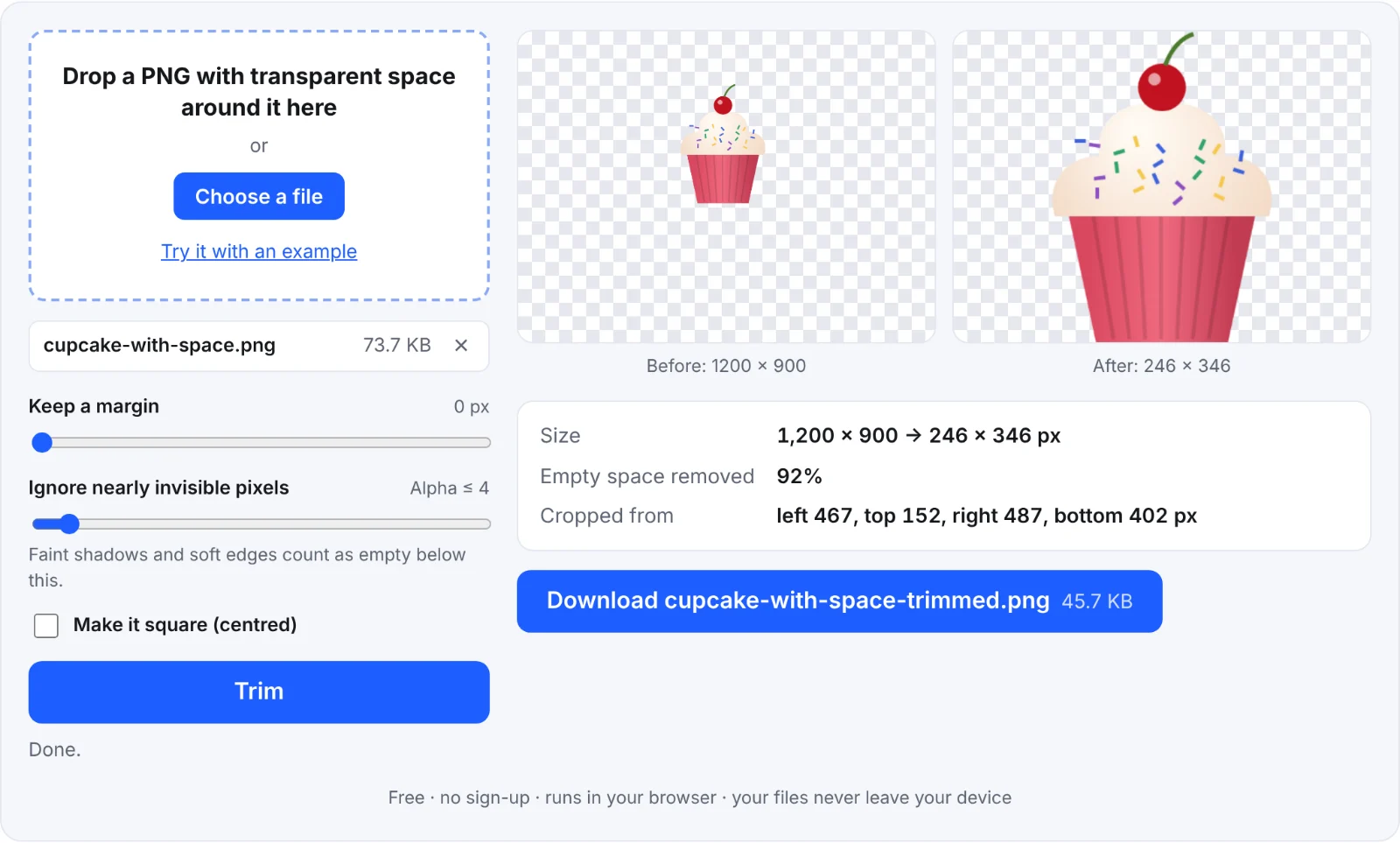 Trimming the empty space
Frequently asked questions
Is my image uploaded?
No. It's cropped in your browser.
Will it lose quality?
No. Pixels are copied exactly; only the empty border is removed.
Why wasn't anything trimmed?
There was no fully transparent border, or faint pixels reach the edges. Raise Ignore nearly invisible pixels.
Can I trim many images at once?
One at a time here.