
Roblox icon maker: a 512 × 512 game icon from your 3D model
Open the Roblox icon makerOpens at 512 × 512 px · Free · runs in your browser · files stay on your device
In short: export your character, item or build from Roblox Studio as an OBJ, open the icon maker and drop the files in. It opens set up for a 512 × 512 PNG with a bold, punchy look. Choose an angle, press F to frame and click Export → Thumbnail. It's free and runs in your browser, so your models are never uploaded.
Your icon is the first thing players see in search, on the home page and in their recently played list, often at little more than postage-stamp size. A clean render of your own hero character or signature item, big in the frame and on a strong colour, reads far better at that size than a busy in-game screenshot.
The size Roblox expects
| Shape | Square |
| Size | 512 × 512 px (Roblox's own template size) |
| Shown at | Much smaller in lists and search, so keep it simple and bold |
| Where to upload | Creator Dashboard → your experience → Configure → Places → Icon |
Roblox's game icon guidelines use a 512 × 512 template. The icon maker opens at exactly that size, and the Free plan covers it.
How to make a Roblox icon from your model
- Export from Roblox Studio. Select your model, character or build in the Explorer, right-click it and choose Export Selection (in some Studio versions, Save/Export → Export as OBJ). Studio saves an
.objfile with a matching.mtl. Keep them together, with any texture images. - Open the icon maker with the button above. The studio opens with the Sunflower look and a 512 × 512 PNG already set up.
- Drop in the files, or their whole folder. Textures are matched automatically, and the model is centred and framed for you, however big it is in studs.
- Pick a dramatic angle. 8 gives a low "hero" angle that makes characters look powerful, and 1 is the classic 3/4 view. Then press F to frame. For an icon, zoom in so the subject fills most of the square.
- Choose Export → Thumbnail. You get a 512 × 512 PNG, ready to upload.
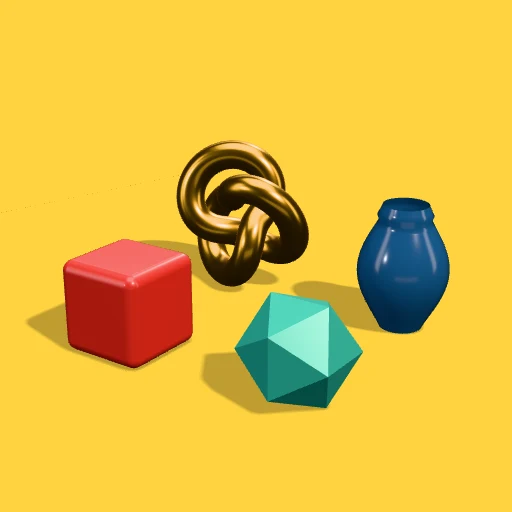 A real export from the icon maker's settings
Tips for icons that get clicks
- One subject, big. A single character or item that fills the square reads at small sizes; a whole map doesn't.
- Strong background colour. Try Sunflower, Pastel Pop, Mint Fresh or Neon Night in Look presets. Pick a colour that stands out against Roblox's white and dark themes.
- Use the export frame. It outlines exactly what will be in the PNG, so nothing important gets cut off.
- Add text elsewhere. If you want your game's name on the icon, add it in an image editor afterwards. A transparent render makes that easy: switch to Transparent Cutout before exporting.
- Make several and compare. Export two or three angles or colours, try each for a while and watch your experience's analytics in the Creator Dashboard to see which brings in more players.
Frequently asked questions
Is the Roblox icon maker free?
Yes, for up to 10 exports a day with a free account (3 without one). The Free plan exports PNGs up to 1,024 px, so a 512 × 512 icon is fully covered. Free exports carry a small Shot3D label in the corner; Pro (£10/month) removes it. Paid plans are for buyers aged 18 or over, or with a parent or guardian's permission.
Can I make an icon of my Roblox avatar?
Yes. Put your avatar in a place in Roblox Studio (for example with the Avatar tab's rig builder, or by copying your character during a play test), select it in the Explorer and export it as OBJ, then drop it into the icon maker.
My export from Roblox Studio is empty. What now?
That's usually a Studio quirk. Copy the model into a new, empty place and export it from there, and make sure you select it in the Explorer rather than only in the 3D view.
Do I need Blender?
No. Roblox Studio's OBJ export goes straight into Shot3D, and the lighting, background and framing are all done in your browser.
Does Roblox allow 3D renders as icons?
Yes, as long as the icon follows Roblox's community standards and represents your experience honestly. Showing your own characters and items is exactly what an icon is for.