
Seamless texture maker: make any image tile without joins
Make a texture or photo tile seamlessly in your browser: the edges are blended so it repeats without visible joins, with a 3 × 3 tiled preview. Free, no upload.
Loading the tool…
Free · no sign-up · runs in your browser · files stay on your device
In short: drop a texture or photo above. The tool blends its edges with a shifted copy of itself, so the left edge matches the right and the top matches the bottom, and the image repeats without visible joins. Compare your original and the result, each tiled 3 × 3. It runs in your browser.
How to make a texture seamless
- Add an image: a surface photo (stone, wood, fabric, grass) or a texture. Or click Try it with an example.
- Set the blend width: how much of each side is blended. Wider hides the join better but softens more of the image.
- Optional: crop it to a square first.
- Compare the tiled previews, then Download.
How it works
The tool makes a copy of the image shifted by half its width and height. That copy's edges join up perfectly (they were the middle of the original), but its seams are now in the centre. The original is kept in the middle and gradually blended into the shifted copy towards the edges, so the final image has the copy's seamless edges and the original's seamless centre.
The figures show the average colour jump across the join before and after, so you can see it drop to near zero.
Getting good results
- Even lighting: a photo that's brighter on one side tiles into a visible stripe pattern, even with seamless edges. Shoot in shade or overcast light, or even out the lighting first.
- No standout features near the edges: a single big stone or knot near an edge appears blended or doubled. Crop so it's away from the edges.
- Narrower blends keep more detail in strong patterns (bricks, tiles); wider blends suit organic textures (grass, rock, plaster).
What it can't do
- Fix repetition. A seamless tile still repeats: viewers can spot a distinctive feature recurring. Larger tiles, or mixing several, help.
- Line up regular patterns. Bricks or tiles must already line up across the image's width and height to tile perfectly.
Example
The example brick wall made seamless, tiled 3 × 3:
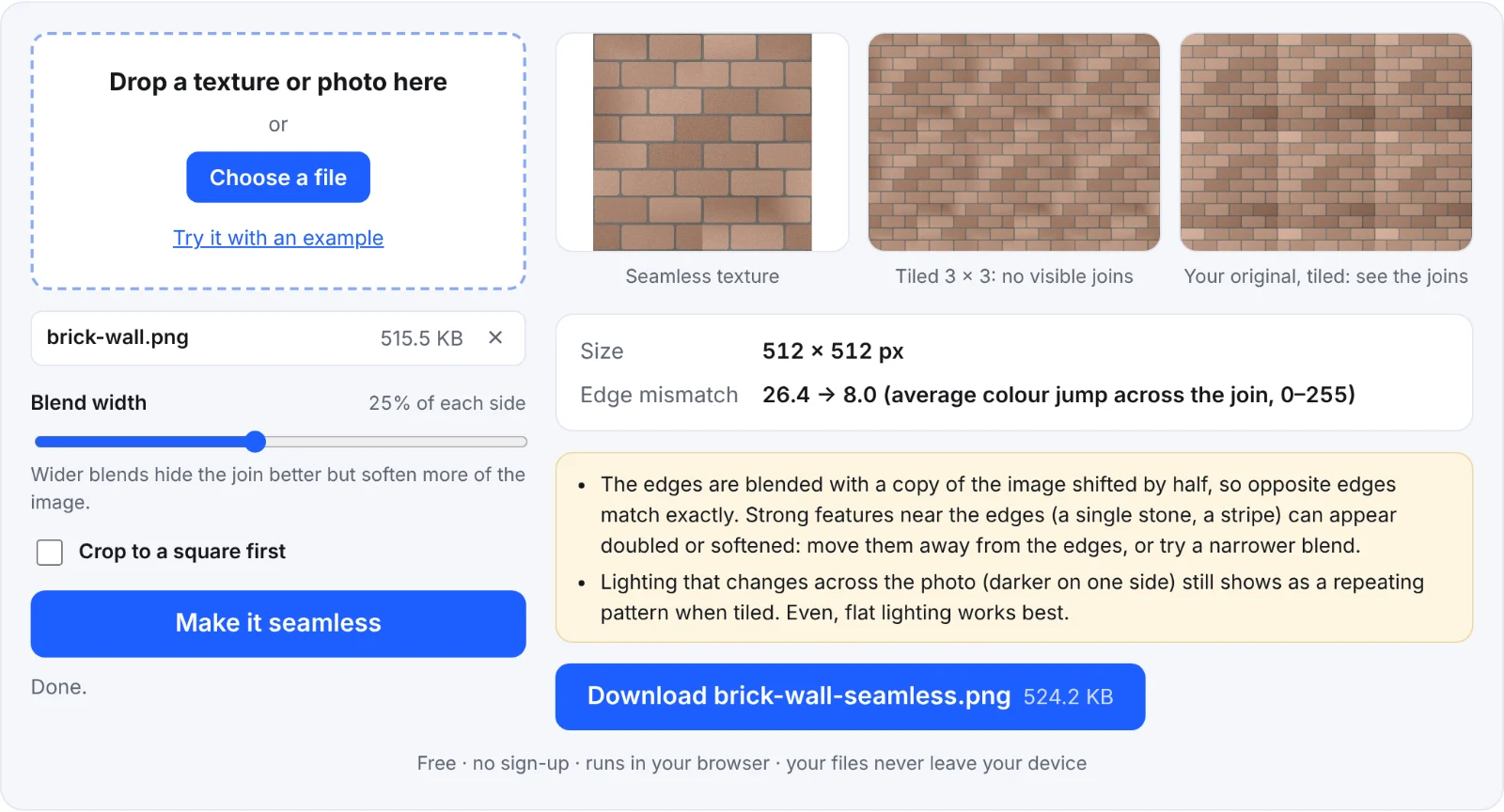 A brick wall made seamless
Frequently asked questions
Is my image uploaded?
No. It's blended in your browser.
Will it keep the same size?
Yes, unless you crop it to a square.
Can I make the matching normal map seamless too?
Make the colour texture seamless first, then make its normal map with the normal map generator with Seamless edges on.
Why is the middle blurry?
The middle isn't changed; edges near the blend may look softer because two parts of the image are mixed there. Use a narrower blend.