
Normal map generator: make a normal map from any image
Generate a normal map from a texture or height map in your browser, OpenGL or DirectX, with strength, smoothing and seamless edges, plus a lit preview. Free, no upload.
Loading the tool…
Free · no sign-up · runs in your browser · files stay on your device
In short: drop a texture or height map above. The tool works out the slopes from its brightness and turns them into a normal map, the purple-blue texture that makes flat surfaces look bumpy under light. Choose OpenGL or DirectX, the strength and smoothing, and check the lit preview. It runs in your browser.
How to make a normal map
- Add an image: a height map (white high, black low) gives the cleanest result, but a texture works too. Or click Try it with an example (a brick wall).
- Set the strength: how steep the bumps look.
- Set the smoothing to ignore fine grain and noise.
- Choose the format: OpenGL for Blender, Unity, Godot and glTF; DirectX for Unreal Engine and 3ds Max.
- Keep "Seamless edges" on for tiling textures, so the edges of the normal map match too.
- Download the PNG.
How it works
The image's brightness is treated as height. For every pixel, a Sobel filter measures how quickly the height changes left to right and top to bottom. Those slopes become a direction (a "normal"), which is stored as a colour: red for left–right, green for up–down and blue for how much the surface faces you. A flat area is the familiar (128, 128, 255) blue.
OpenGL or DirectX?
The two conventions differ only in which way the green channel points. If your bumps look like dents in your engine (lit from the wrong side), you've got the other one: switch format, or flip green in your engine's texture settings.
| OpenGL (Y+) | DirectX (Y−) |
|---|---|
| Blender, Unity, Godot, glTF, three.js | Unreal Engine, 3ds Max |
What it can't do
- Know real depth. Brightness isn't height: a dark stain becomes a dip and a white mark a bump. Paint over such marks in a height map first, or use a texture with even lighting.
- Capture large shapes. Normal maps fake small surface detail. For big shapes, model the geometry.
Example
The example brick wall turned into an OpenGL normal map, with a lit preview:
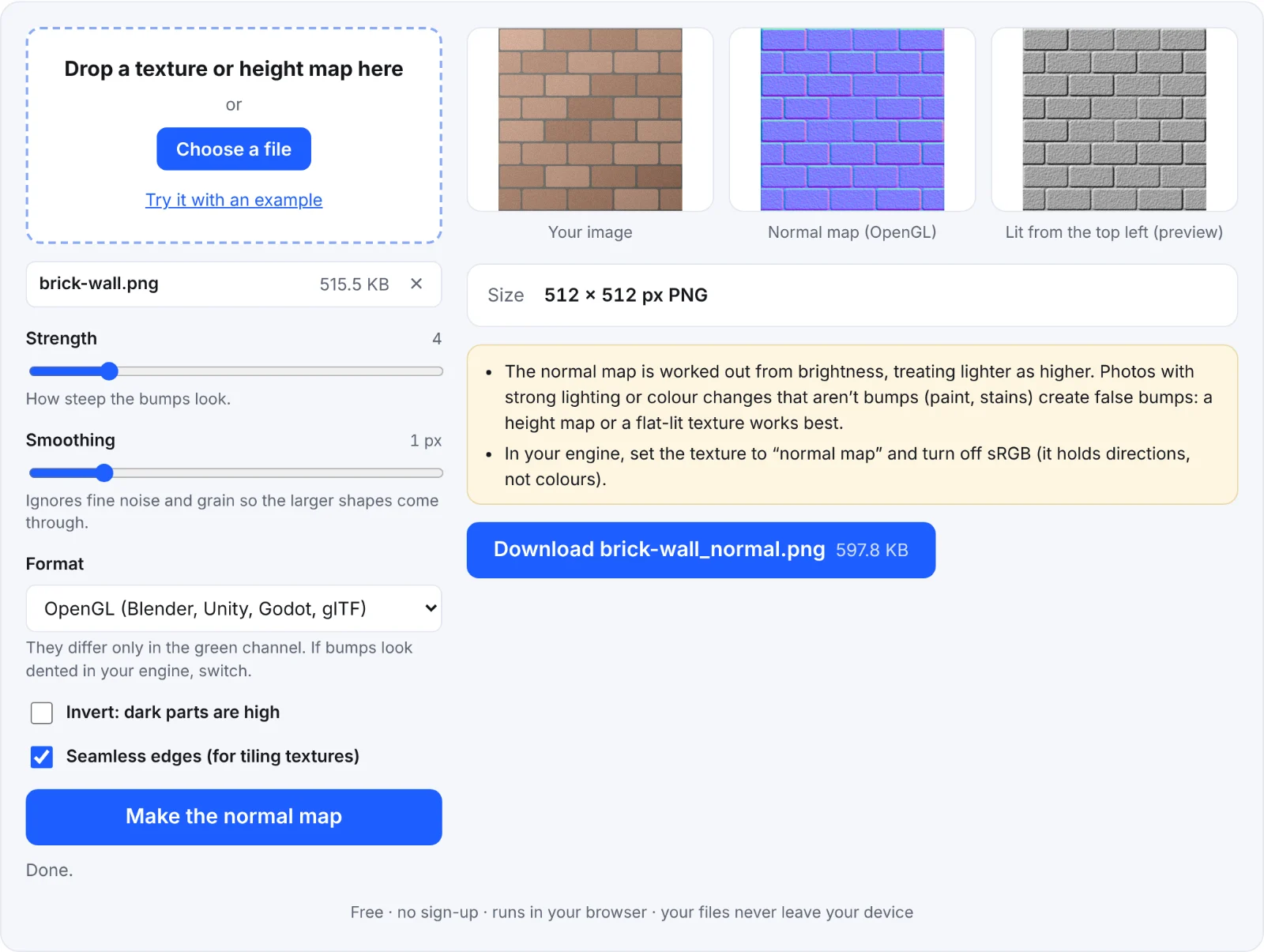 A brick wall's normal map
Frequently asked questions
Is my image uploaded?
No. The normal map is made in your browser.
Why does my normal map look noisy?
Grain in the image becomes bumps. Raise Smoothing, or lower Strength.
Do I set it as sRGB?
No. Normal maps hold directions, not colours: set the texture to "normal map" or turn off sRGB in your engine.
Can I make a height map from a 3D model?
Yes: the depth map tool renders one, which you can turn into a normal map here.