
Texture channel packer: pack AO, roughness and metalness (ORM)
Pack grey PBR maps into one texture's RGBA channels: glTF/Unreal ORM or a Unity HDRP mask map, matched by file name, with any channel overridden. Free, in your browser.
Loading the tool…
Free · no sign-up · runs in your browser · files stay on your device
In short: drop your grey maps above (ambient occlusion, roughness, metalness, smoothness). The tool puts each in one channel of a single texture, saving memory and texture slots: an ORM map for glTF and Unreal, or a mask map for Unity's HDRP. Maps are matched by file name, and you can override any channel. It runs in your browser.
How to pack channels
- Add your maps together, named the usual way (for example
rock_AO.png,rock_Roughness.png,rock_Metallic.png). Or click Try it with an example. - Choose the layout (see below).
- Check the red, green and blue previews. The figures show which file went where.
- Override any channel if a name wasn't recognised: choose the 1st, 2nd, 3rd or 4th image (in the order added), or plain white or black.
- Download the packed PNG.
Layouts
| Layout | Red | Green | Blue | Alpha |
|---|---|---|---|---|
| glTF / Unreal ORM | Ambient occlusion | Roughness | Metalness | (white) |
| Unity HDRP mask map | Metallic | Ambient occlusion | Detail mask | Smoothness |
The glTF layout follows the glTF 2.0 specification: its metal-roughness texture reads roughness from green and metalness from blue, and its occlusion texture reads red, so one ORM image can serve both. Unity's layout follows the HDRP Lit shader's mask map.
Roughness and smoothness
Unity's mask map wants smoothness, the opposite of roughness. If you only have a roughness map, the tool inverts it (smoothness = 1 − roughness) when Make smoothness from roughness is on.
What it needs
- Maps of the same size. Resize them to match first.
- Grey maps. Colour images are converted to brightness.
- Linear data. In your engine, turn off sRGB for the packed texture: it holds data, not colours.
Example
The example riveted panel's AO, roughness and metalness maps packed as ORM:
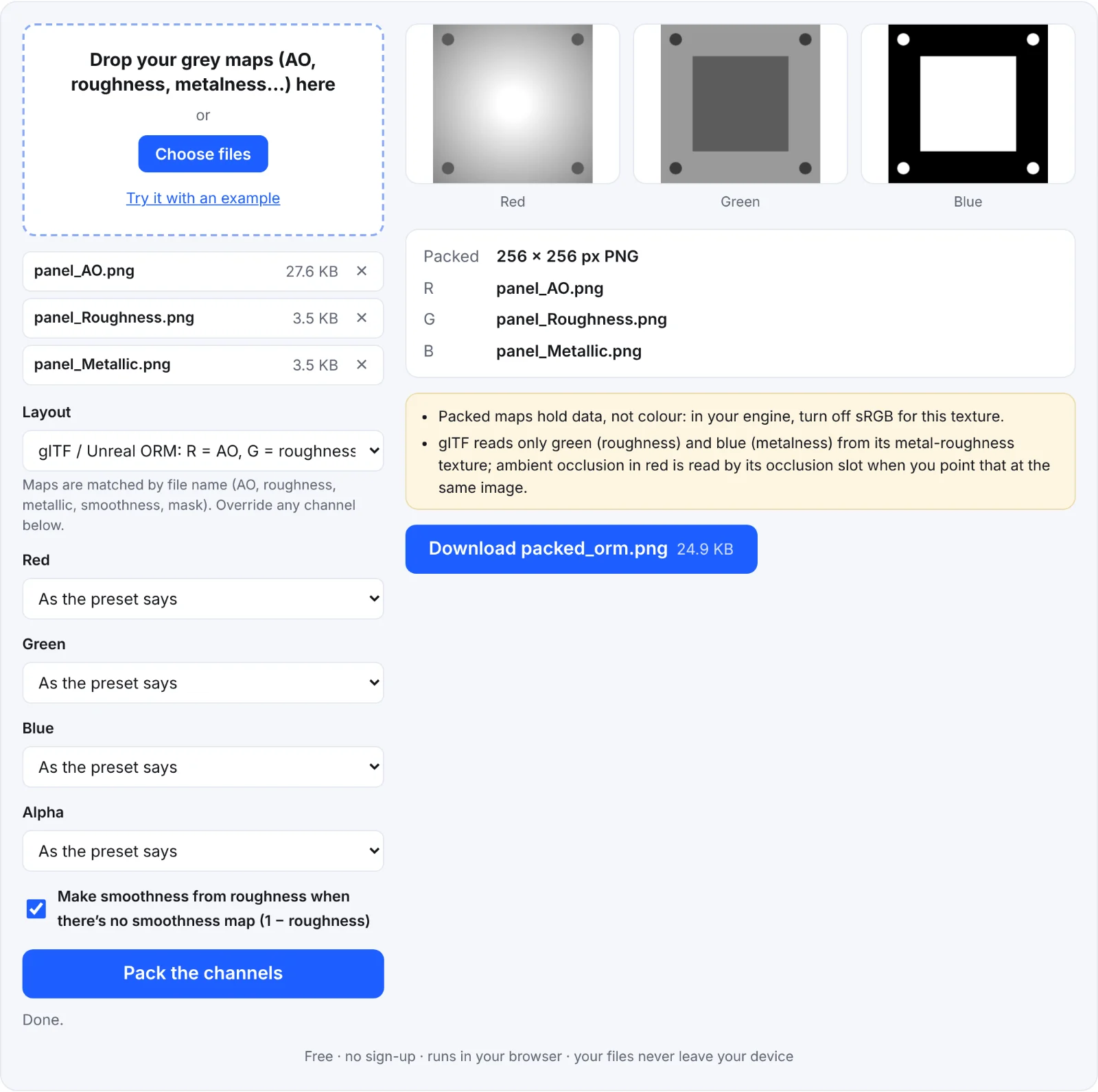 Packing a panel's maps
Frequently asked questions
Are my textures uploaded?
No. They're packed in your browser.
My map wasn't recognised. What now?
Use the channel overrides: set, for example, Green to 2nd image. Names containing ao, occlusion, rough, metal, smooth, gloss or mask are recognised.
What goes in a channel with no map?
White (fully on) for occlusion, roughness and smoothness, black for the detail mask, so missing maps don't change the look.
Can I unpack an ORM texture?
Not with this tool. Any image editor with channels can split one.