
Sprite sheet slicer: cut a sprite sheet into frames
Cut a sprite sheet into separate PNG frames by columns and rows, with margins and spacing, skipping empty cells, in your browser. Downloads a ZIP. Free, no upload.
Loading the tool…
Free · no sign-up · runs in your browser · files stay on your device
In short: drop a sprite sheet above and enter its columns and rows (and any margin or spacing). The tool shows the cut lines on your sheet, then cuts every frame into its own PNG, skipping empty cells, and gives you them in a ZIP. It runs in your browser.
How to slice a sprite sheet
- Add your sheet, or click Try it with an example (a bouncing ball, 4 × 2).
- Enter the columns and rows.
- Add the margin (space round the outside) and spacing (space between frames) if your sheet has them. Check the blue lines sit on the frames.
- Skip empty frames to leave out blank cells at the end of a row.
- Trim each frame only if you want each cropped to its contents; for animation, leave it off so frames stay the same size and line up.
- Download the ZIP.
Frame order
Frames are numbered left to right, then top to bottom (name_001.png, name_002.png…), the way most engines and tools read sheets.
When frames don't line up
If the blue lines drift off the frames towards the right or bottom, the sheet has a margin or spacing you haven't entered, or a different number of columns. Frames that would run past the edge of the image are left out.
What it can't do
- Sheets packed irregularly (frames of different sizes, as texture packers make) need their data file to cut correctly; this tool cuts regular grids.
- Read packer data files (JSON, XML).
Example
The example bouncing-ball sheet with its cut lines:
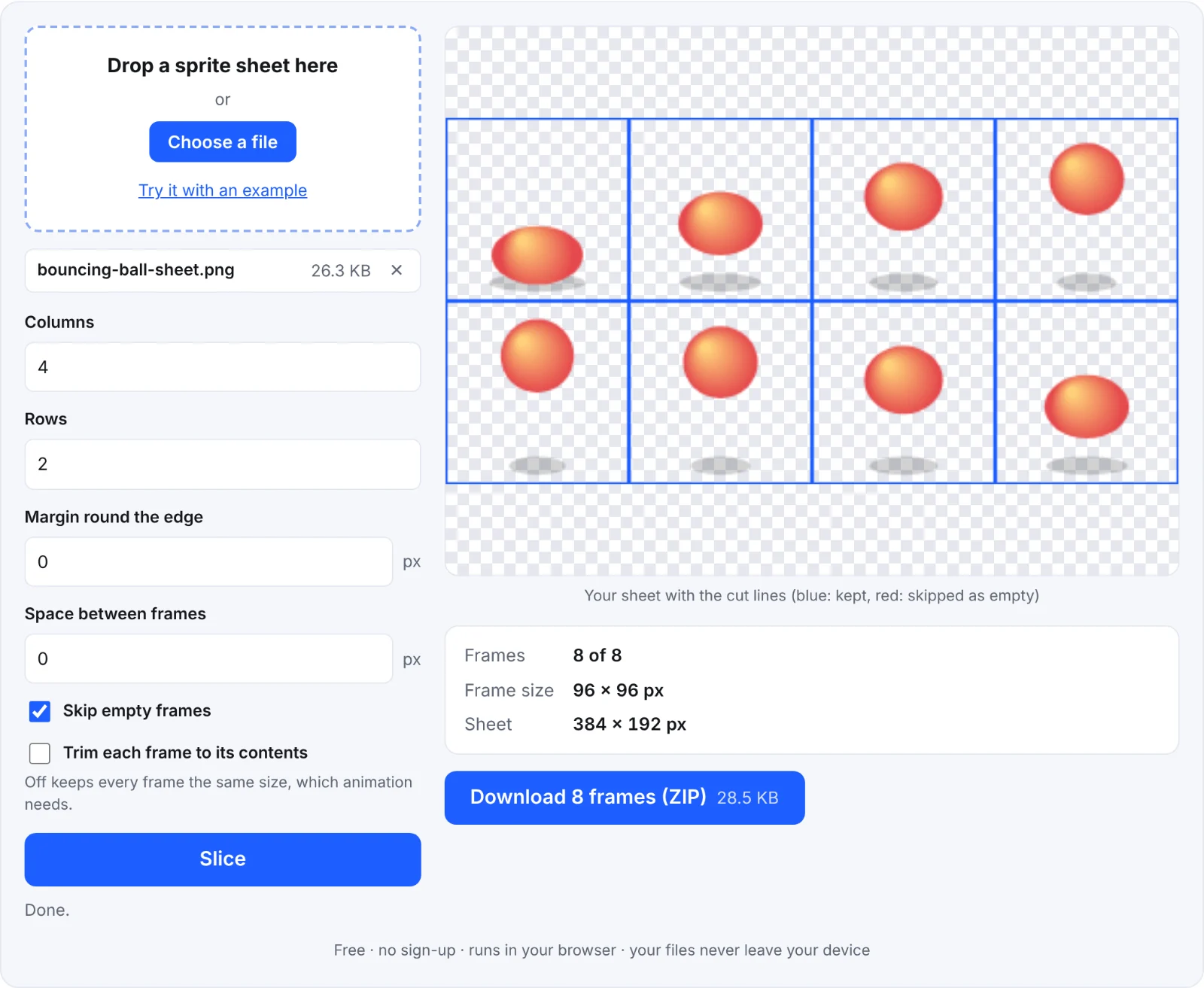 Slicing the example sheet
Frequently asked questions
Is my sheet uploaded?
No. It's cut in your browser.
Can I turn the frames into a GIF?
Yes: download the frames, then drop them into images to GIF.
Why are some frames missing?
They were empty (fully transparent) and Skip empty frames is on, or they ran past the edge of the image.
Can I make a sprite sheet from a 3D model?
Yes, with the 3D model to sprite sheet tool.