
3D model to GIF: make a looping turntable GIF online, free
Open the GIF makerFree · runs in your browser · files stay on your device
In short: open the GIF maker, drop in your model, pick a look and angle, then choose Export → Turntable GIF. Shot3D renders a seamless 360° spin on your device and saves a looping GIF. It's free up to 320 px (with a small Shot3D label), and Pro goes up to 800 px with no label.
GIFs play everywhere a video doesn't: inline in Discord and Slack, in GitHub READMEs, on forums and in itch.io devlogs, all with no play button. A spinning model is the quickest way to show what you've made.
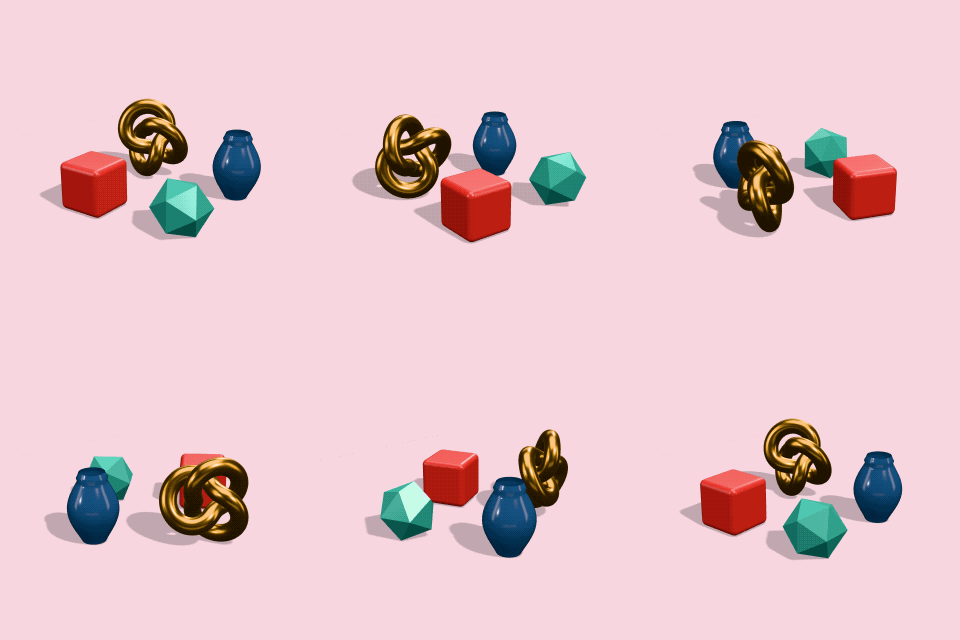 A real turntable GIF from the maker
How to make a GIF of a 3D model
- Open the GIF maker. It opens with the bright Pastel Pop look.
- Drop in your model. GLB, glTF, FBX, OBJ, STL, PLY and 3MF all work, with their textures.
- Set up the shot. Press 1 for the 3/4 view and F to frame. Press R to preview the spin and check nothing clips at the edges.
- Choose the GIF settings. In the Export tab, under Turntable video and GIF: Duration (one full turn), Motion (model spins or camera orbits), Direction, GIF size and GIF frame rate.
- Export. Choose Export → Turntable GIF. A progress bar counts through the frames and the GIF downloads when it's done.
Settings that keep GIFs small
GIF is an old format: files get big quickly. These settings keep them light enough to post:
| Where it's going | Size | Duration | Frame rate |
|---|---|---|---|
| Discord, Slack, forums | 320 or 480 px | 4–6 s | 20 fps |
| GitHub README | 480 px | 5–6 s | 20 fps |
| itch.io page or devlog | 480–640 px | 6–8 s | 20–25 fps |
A 6-second, 480 px GIF at 20 fps is usually 3 to 6 MB. Plain backgrounds compress best, so looks such as Pastel Pop, Studio Grey or Dark Studio give smaller files than busy HDRI backdrops. For anything larger or longer, use an MP4 turntable instead: it's far smaller at the same quality.
How the GIF is made
- Seamless loop: exactly 360° at a constant speed, with no repeated frame where it loops.
- Clean colours: one 256-colour palette is chosen for the whole animation, from frames all the way around the turn, so the colours don't flicker between frames. Gentle dithering keeps backdrop gradients smooth.
- Smooth edges: each frame is rendered at twice the size and scaled down.
- Exact timing: the frame rates (10, 20 or 25 fps) divide evenly into GIF's timing, so a 6-second turn really takes 6 seconds.
Frequently asked questions
Is the GIF maker free?
Yes, for up to 10 exports a day with a free account (3 without one). The Free plan makes turntable GIFs up to 320 px with a small "Made with Shot3D" label. Pro (£10/month, or £1 for a 3-day trial with 25 exports) removes the label and goes up to 800 px, and adds MP4 turntables up to 1080p.
Can the GIF have a transparent background?
No. Turntables use a solid background, so a transparent look uses the Video fallback colour from the Scene tab. GIF transparency is only on or off per pixel, which gives jagged edges around models anyway.
Why is my GIF so large?
GIF compresses far less well than video. Make it shorter, smaller or slower (fewer frames), or use a plainer background. Or export an MP4, which Discord, Reddit and most sites play inline too.
Are my models uploaded?
No. Every frame is rendered and encoded in your browser and saved straight to your device.