
3D model checker: find holes, flipped faces and non-manifold edges
Open the 3D model checkerFree · runs in your browser · files stay on your device
In short: open the tool, drop in your models, open the Check tab and click Check models. Every model gets a score out of 100, a pass or fail, and a plain-English list of problems: holes, inside-out or flipped faces, non-manifold edges, missing textures, stray pieces and zero-area triangles. Some have a one-click fix. It all runs in your browser, so your models are never uploaded.
Marketplaces and slicers reject models for problems that are easy to miss in a modelling tool: a face pointing the wrong way, a hole where two parts don't quite meet, a texture that wasn't exported with the model. This checker finds them before a reviewer or a failed print does.
How to check a 3D model
- Open the tool and drop in your models: GLB, glTF, FBX, OBJ, STL, PLY or 3MF, with their textures. You can drop a whole folder.
- Open the Check tab and click Check models. Each model is checked in the background.
- Read the results. Click a model to see each problem, why it matters and how to fix it.
- Fix what you can. Turn faces outward, Remove stray pieces and Remove zero-area triangles fix the studio's copy in a click. Fix the original file in your modelling tool too.
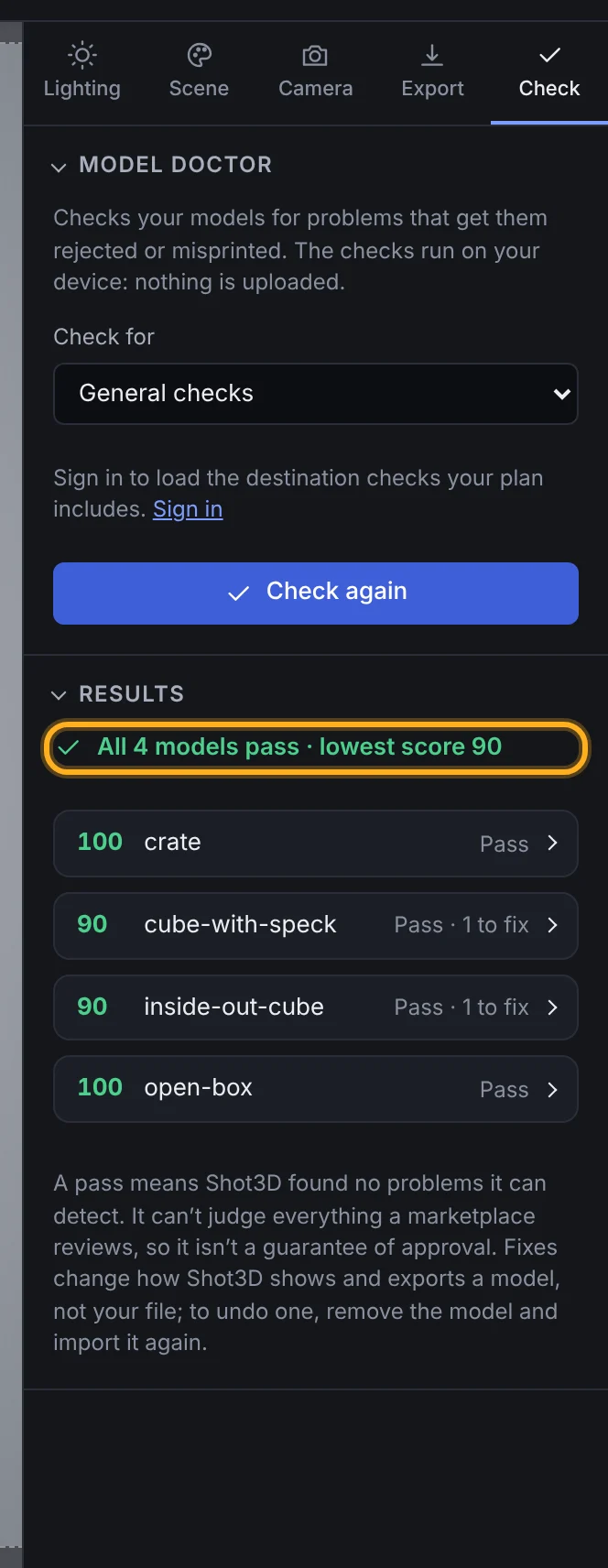 Real results for a pack of four test models
What it finds
| Problem | Why it matters |
|---|---|
| Holes and open edges | 3D printing needs a closed solid. Roblox asks for watertight meshes |
| Non-manifold edges | More than two faces on one edge: slicers and some marketplaces reject it |
| Inside-out and flipped faces | They show dark or invisible in most viewers and game engines |
| Missing textures | The model refers to images that weren't exported with it |
| Stray pieces | Tiny leftovers from modelling that add to the count and spoil renders |
| Zero-area triangles | Triangles that show nothing but count towards limits |
| Texture sizes | Textures over 4,096 px, or not sized in powers of two |
It also shows each model's triangle, vertex, mesh and texture counts, ready to copy into a listing.
Checks for marketplaces and printing
On Pro (£10 a month) and Studio (£25 a month), you can check against the published rules for Roblox (meshes and rigid accessories), Fab, the Unity Asset Store, CGTrader and 3D printing. Each failed rule quotes the official page and links to it. For example, Roblox's specifications say individual meshes can't exceed 20,000 triangles (Roblox: General specifications), and Unity's submission guidelines ask for meshes at 1 unit to 1 metre (Unity Asset Store: Submission Guidelines).
On Pro and Studio, listing kits also include the report as a text file.
See the Model Doctor guide for every check and fix.
Frequently asked questions
Is the 3D model checker free?
Yes. The general checks, scores and quick fixes work on every plan, including without an account. Checks against Roblox, Fab, Unity Asset Store, CGTrader and 3D printing rules are on Pro and Studio.
Are my models uploaded?
No. Your models are read and checked in your browser, on your device. Shot3D's servers never receive them.
Does a pass mean a marketplace will accept my model?
No. A pass means Shot3D found no problems it can detect. Marketplaces also review things it can't judge, such as quality, UV layouts, LODs and collision.
Does it fix my files?
No. The fixes change Shot3D's copy, so your renders and exports look right, but your file is never changed. Fix the original in Blender or your modelling tool before you upload or print it.
Which formats can it check?
GLB, glTF, FBX, OBJ, STL, PLY and 3MF. It can count n-gons only in FBX and OBJ files, because the other formats store only triangles.