
ASCII STL to binary STL converter (and back): shrink STL files
Convert ASCII (text) STL to binary STL to make it several times smaller, or binary to ASCII to read it, in your browser. Shows the size saved. Free, no upload.
Loading the tool…
Free · no sign-up · runs in your browser · files stay on your device
In short: drop an STL above. If it's ASCII (text), you get a binary STL that's usually around a fifth of the size; if it's binary, you get an ASCII version you can read in a text editor. The tool detects which you have, converts it the other way and shows the size saved. It runs in your browser.
How to use it
- Add an STL, or click Try it with an example (an ASCII STL of a torus knot).
- The tool converts it straight away, in whichever direction applies.
- Download the result.
ASCII and binary STL
Both describe exactly the same thing: a list of triangles, each with three corners and a facing direction. They differ only in how the numbers are written.
- ASCII STL writes every number as text, with words around it (
facet normal,vertex). You can open it in a text editor and read it, but each triangle takes roughly 250 bytes. - Binary STL writes each number as 4 bytes, so each triangle takes exactly 50 bytes.
So binary files are typically a fifth to a sixth of the size, and they load faster.
Is anything lost?
No triangles are lost either way. Binary STL stores numbers as 32-bit floating point, about 7 significant figures; ASCII is written at that same precision, so converting back and forth doesn't change the shape.
Some exporters store a colour per triangle in binary STL's spare "attribute" bytes. That isn't standard and few slicers read it; it isn't carried over.
Example
The example ASCII STL converted to binary, with the size saving:
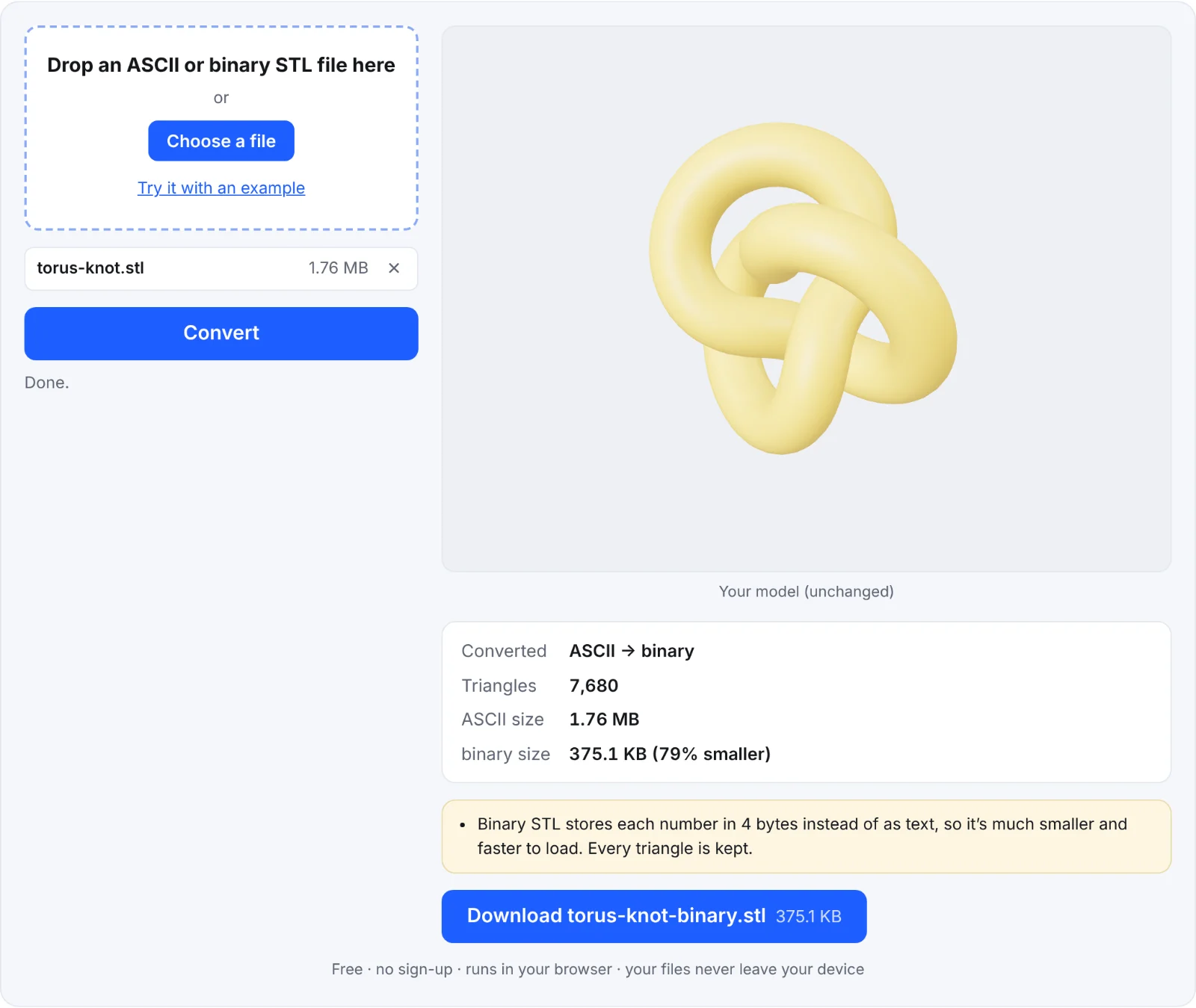 ASCII to binary, with the size saved
Frequently asked questions
Is my file uploaded?
No. It's converted in your browser.
How do I know which kind of STL I have?
Drop it in: the tool tells you. You can also open it in a text editor: ASCII STL starts with the word solid and is readable text; binary STL looks like random characters.
Which should I use?
Binary, almost always: it's smaller and every slicer reads it. Use ASCII if a program you use only accepts text, or to look inside the file.
Can I make an STL even smaller?
Not as STL. For sharing, a ZIP of a binary STL is smaller still. For the web, convert it to GLB.