
Etsy listing photos for 3D printing files (STL) without printing them
Open the Etsy listing photo makerOpens at 3072 × 2304 px · Free · runs in your browser · files stay on your device
In short: open the photo maker and drop in your STL, 3MF or OBJ files. It opens with a matte Clay Render look at 4:3, 3072 × 2304, the shape Etsy recommends, with more than 2,000 px on the short side. Set the clay colour to your filament colour, pick an angle and export. No printing, photographing or editing needed.
Selling 3D printing files on Etsy means competing with thousands of listings, and buyers judge by the photos. Printing and photographing every model is slow and costly. A clean studio render shows the shape and detail clearly, and you can make one for every file in minutes.
Etsy photo size
| Recommended shape | 4:3 landscape; square also works |
| Recommended size | At least 2,000 px on the shortest side |
| First photo | Landscape or square, never portrait, as it becomes the thumbnail |
| Absolute minimum | 635 px wide |
Etsy's thumbnails crop the first photo, so keep the model centred with some space around it. The export frame in Shot3D shows exactly what's captured.
How to make Etsy photos of 3D print files
- Open the photo maker. It opens with Clay Render at 4:3, 3072 × 2304.
- Drop in your files. STL, 3MF, OBJ, PLY, GLB and FBX all work. Each model is centred, placed on the ground and framed.
- Match your filament. In the Scene tab, set the Clay colour to the colour you'd print in. Silk-PLA gold, matte black or galaxy blue all work.
- Main photo. Press 1 for the 3/4 view, then F, and click Export → Thumbnail.
- More photos. Etsy allows up to 20 images. Export the front (2), side (3), back (4) and top (6) too, and a clean white version with Marketplace White.
- Whole shop at once. Drop in all your files and click Export → Individual thumbnails for a framed photo of every model in one ZIP.
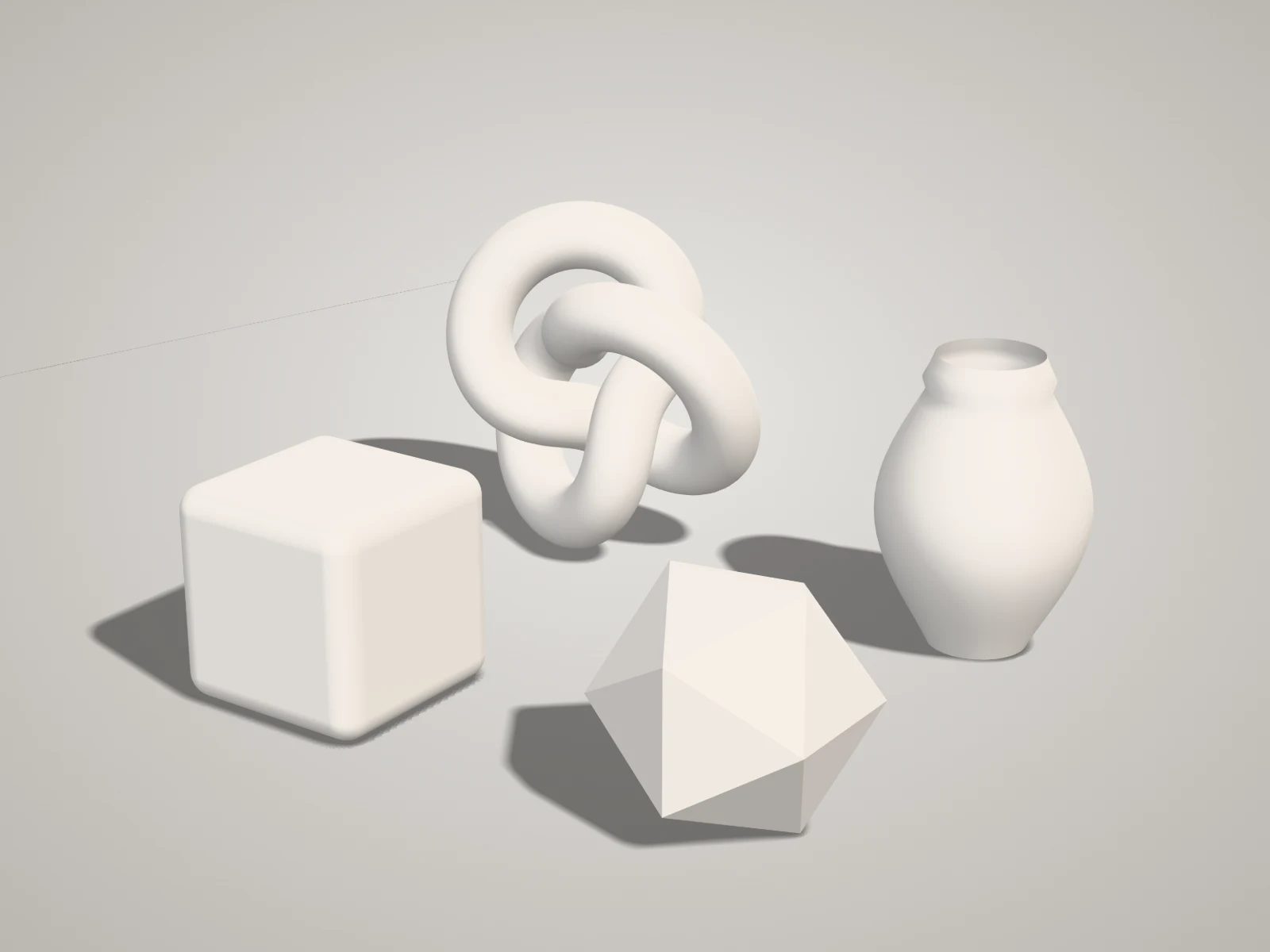 A real export from the photo maker's settings
Good to know
- Be clear it's a digital file. Renders show the design, not a physical print. Say so in your listing, so buyers know what they'll receive.
- Add a 360° turntable. Etsy listings can include a short video, and a turntable MP4 (Pro) shows every side of the model.
- Show the size. Add a photo with a common object for scale, or the dimensions as text in your photo editor.
On Pro and Studio, choose several Angles in the Export tab and Export → Individual thumbnails renders every model from each one in a single batch. See exporting individual thumbnails.
Frequently asked questions
Which plan gets me 2,000 px?
Pro (£10/month, or £1 for a 3-day trial with 25 exports) exports up to 4,096 px with no watermark, so 3072 × 2304 is included. A free account gives you 10 exports a day, up to 1024 × 768, which is above Etsy's minimum and fine for trying it out, with a small Shot3D label.
Can I render multi-colour 3MF prints?
Shot3D reads colours stored in 3MF files. To see them, switch from Clay Render to a look like Marketplace White, which keeps each model's own colours.
Can I use these renders on other sites?
Yes, you own your exports. They work just as well on Printables, Thingiverse, Cults3D, MyMiniFactory or your own shop. For square images, use the STL to PNG tool.
Are my files uploaded?
No. Your files are rendered in your browser and never leave your device, which matters when they're your paid designs.