
itch.io cover image maker for 3D asset packs
Open the cover maker for itch.ioOpens at 1280 × 960 px · Free · runs in your browser · files stay on your device
In short: open the cover maker, drop in every model from your pack and arrange them together. It opens with the friendly Pastel Pop look at 4:3 (1280 × 960), the closest shape to itch.io's recommended 630 × 500 cover. Export, resize to 630 × 500 (or 1260 × 1000 for sharp high-DPI screens) and upload. Then export a framed preview of every model for your screenshots.
On itch.io, the cover image is your pack's shop window. It's shown in search, on browse pages and in collections, often at small sizes. Seeing the actual models, well lit and grouped together, tells a game developer instantly what they're getting.
itch.io cover size
| Recommended | 630 × 500 px (about 5:4) |
| Sharper option | 1260 × 1000 px, double size for high-DPI screens |
| Maximum | Images up to 3 MB |
| Screenshots | Any size; landscape images suit the page layout |
itch.io's cover is a little squarer than 4:3. When you resize a 4:3 render to 630 × 500, trim a few pixels from each side. The cover maker leaves room by framing with a margin, so nothing important is lost.
How to make your cover
- Open the cover maker. It opens with Pastel Pop at 4:3, 1280 × 960.
- Drop in the pack. Drop the whole folder of GLB, FBX or OBJ files; every model is placed on the ground.
- Arrange the hero shot. 7 gives an isometric view that suits low-poly packs; A frames all the models. Hide minor models (H) so the best pieces fill the cover.
- Export → Thumbnail, then crop and resize to 630 × 500 (or 1260 × 1000) in any image editor.
- Screenshots for the page. Show everything again and click Export → Individual thumbnails for a framed PNG of every model in one ZIP, ideal for the gallery or a contents sheet.
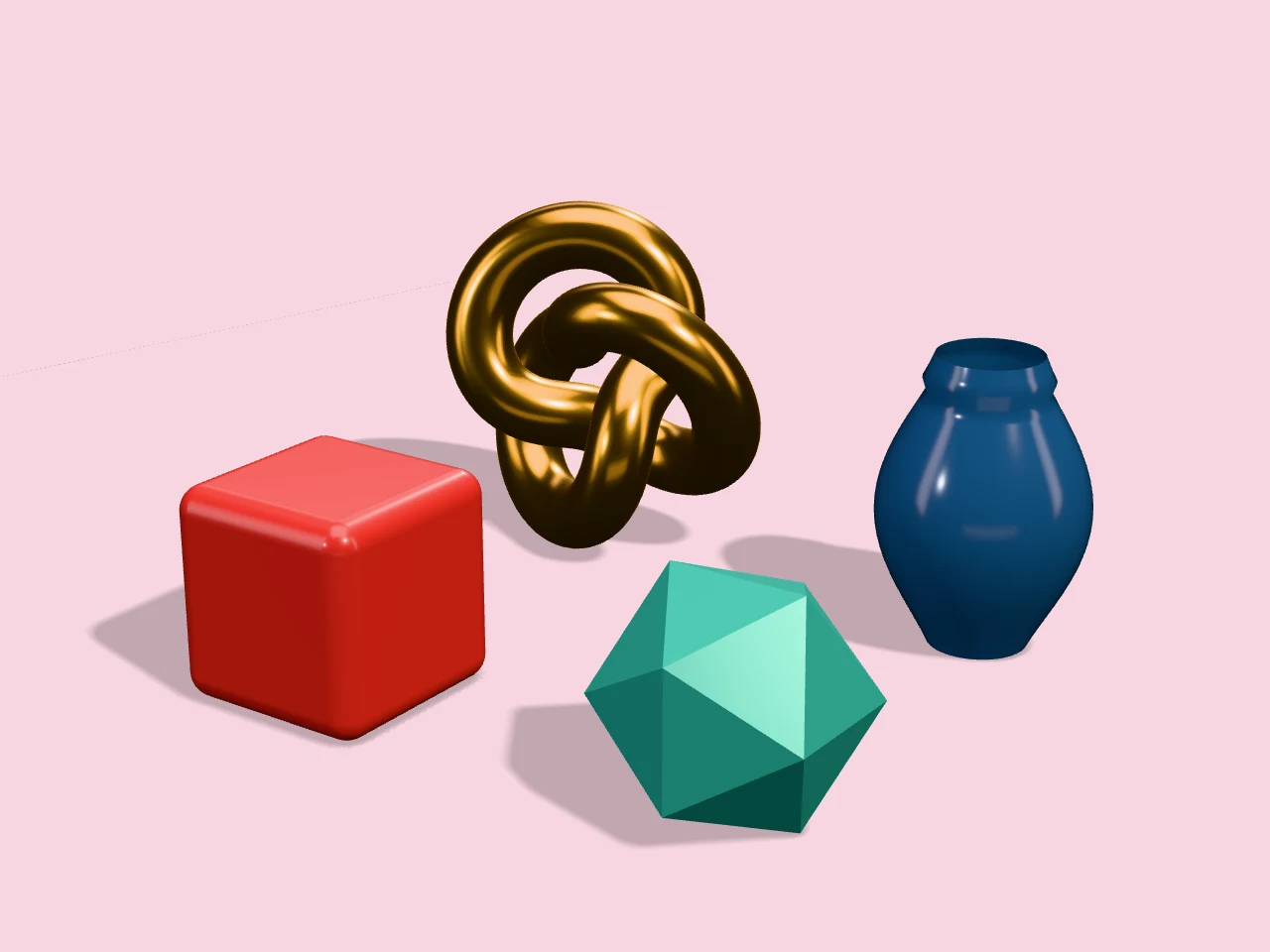 A real export from the cover maker's settings
Looks that sell asset packs
- Pastel Pop, Mint Fresh and Sunflower for cute, casual and low-poly packs.
- Dark Studio or Hero Spotlight for fantasy, horror and sci-fi.
- Topology Wireframe as an extra screenshot, so developers can see how clean your meshes are.
- Clay Render to show the shapes without textures.
Frequently asked questions
Is it free?
Yes, for up to 10 exports a day with a free account (3 without one). The Free plan goes up to 1,024 px (1024 × 768 at 4:3), which is more than enough for a 630 × 500 cover, with a small Shot3D label in the corner. Pro (£10/month, or £1 for a 3-day trial with 25 exports) removes the label and goes up to 4,096 px.
Can I make an animated GIF cover?
Yes. Choose Export → Turntable GIF for a looping 360° GIF of your pack, then resize it to 630 × 500. Keep it short (4 to 6 seconds) so it stays under itch.io's 3 MB limit. See the 3D model to GIF maker.
What formats can I drop in?
GLB, glTF, FBX, OBJ, STL, PLY and 3MF, with textures matched automatically.
Are my models uploaded?
No. Everything is rendered in your browser and saved to your device.