
OBJ and FBX wireframe render: show true quad topology online
Open the wireframe rendererFree · runs in your browser · files stay on your device
In short: open the wireframe renderer, drop in an OBJ or FBX file and export. Shot3D reads the original polygons from the file, so you get your real quads and n-gons as they look in your modelling software, not the triangulated mesh most viewers show. It opens with the Topology Wireframe look: a dark wire over a matte surface with hidden edges removed.
Buyers who rig, animate or optimise models check the topology before they buy. A wireframe full of diagonals (every quad split into two triangles) makes clean work look messy and twice as dense. Showing the real edge flow builds trust and answers questions before they're asked.
How to render a wireframe
- Open the renderer. The studio opens with Topology Wireframe applied.
- Drop in your model. For an exact result, use the FBX or OBJ export from your modelling software (include the OBJ's
.mtlif you have one). - Pick the angle to match your other listing images, for example 1 for 3/4 front.
- Fine-tune in the Scene tab: Edges (Quads & n-gons, or Triangles), Style (Shaded or X-ray), wire and surface colours, and line thickness.
- Export a PNG with Export → Thumbnail, or a wireframe of every model with Export → Individual thumbnails.
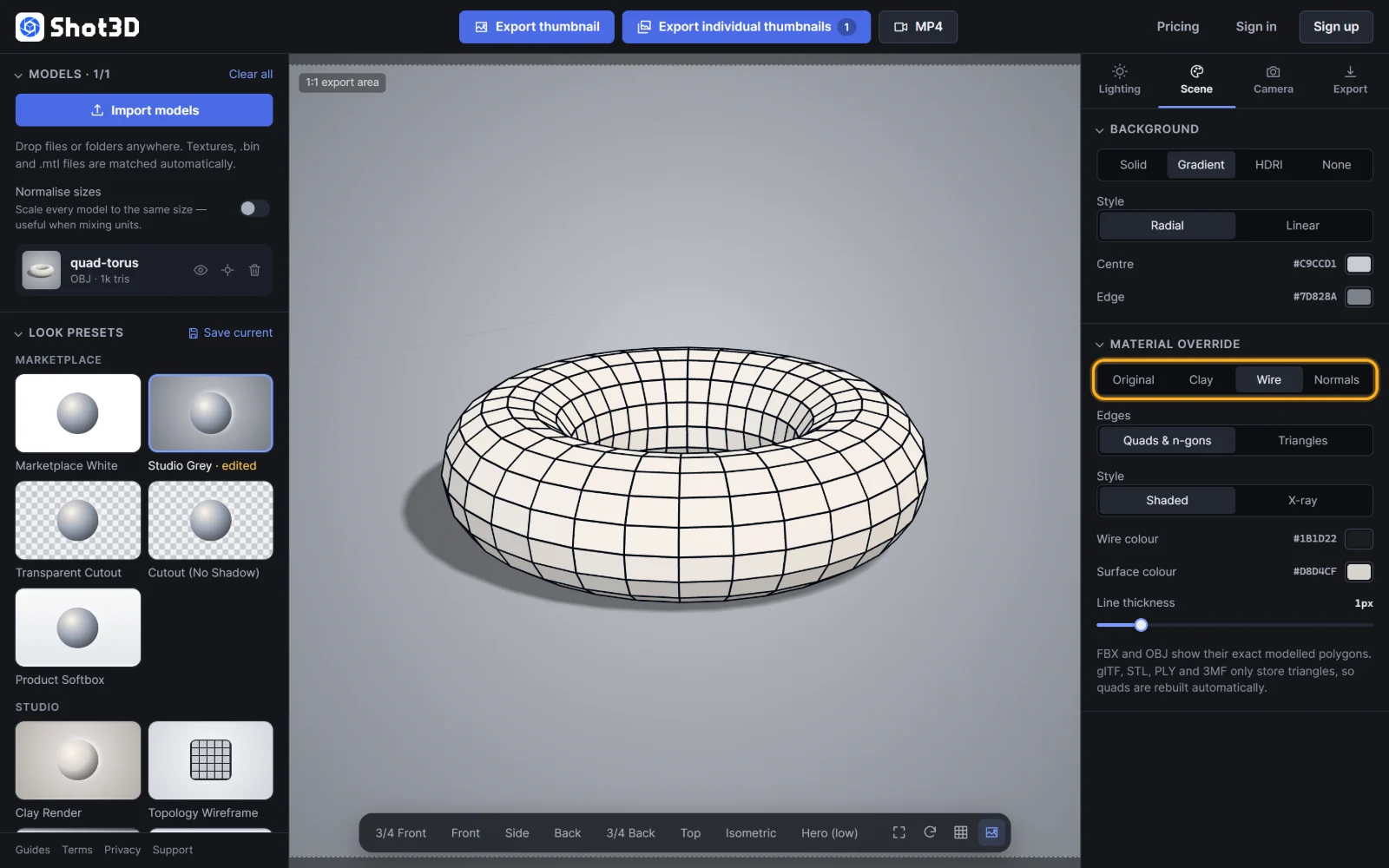 An OBJ file showing its exact quads
How exact is it?
| File format | Wireframe |
|---|---|
| FBX, OBJ | Exact: the original quads and n-gons are read from the file |
| GLB, glTF, STL, PLY, 3MF | Rebuilt: these formats only store triangles, so quads are reconstructed |
Select a model with the wireframe on to see its topology, for example "512 quads · exact, from file". See wireframe renders for every option.
Frequently asked questions
Why do other viewers show my quads as triangles?
Graphics cards only draw triangles, so models are triangulated for display and most viewers draw every triangle edge. This tool reads the original polygons from FBX and OBJ files and hides the triangulation edges.
Can I show the triangulated mesh instead?
Yes. Set Edges to Triangles in the Scene tab to show every triangle, as a game engine sees it.
Can I make a see-through wireframe?
Yes. Set Style to X-ray, or use the Blueprint Wire preset, to show every edge including those at the back.
Is the wireframe renderer free?
Yes, for up to 10 exports a day with a free account (3 without one). The Free plan exports PNGs up to 1,024 px with a small Shot3D label. Pro and Studio export larger images with no label, plus wireframe turntable videos.