
Keyboard shortcuts
In short: 1–8 jump to the standard camera angles, F frames the selection (or everything), R toggles auto-rotate, G toggles the grid, H hides the selected model, and Ctrl+E exports a thumbnail. On a Mac, use Cmd instead of Ctrl.
Shortcuts work whenever the studio is focused. They're paused while you're typing in a text box or a dialog is open, so they never get in the way.
Camera
| Shortcut | Action |
|---|---|
| 1 | 3/4 Front angle |
| 2 | Front |
| 3 | Side |
| 4 | Back |
| 5 | 3/4 Back |
| 6 | Top |
| 7 | Isometric |
| 8 | Hero (low) |
| F | Frame the selected model, or all models if none is selected |
| A | Frame all models |
| R | Auto-rotate preview on/off |
| G | Ground grid on/off |
The angle shortcuts are also shown on the buttons in the Camera tab:
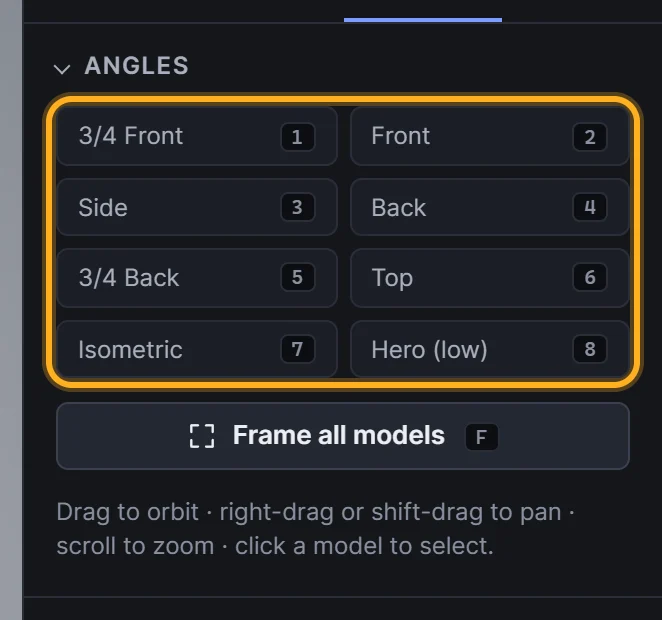 Shortcut keys shown on the angle buttons
Models
| Shortcut | Action |
|---|---|
| H | Hide or show the selected model (hidden models are left out of exports) |
| Delete or Backspace | Remove the selected model |
| Esc | Deselect |
Export
| Shortcut | Action |
|---|---|
| Ctrl+E (Cmd+E on Mac) | Export → Thumbnail |
| Ctrl+Shift+E (Cmd+Shift+E on Mac) | Export → Individual thumbnails |
Projects
| Shortcut | Action |
|---|---|
| Ctrl+S (Cmd+S on Mac) | Save the open project, or open Projects if none is open. See Saving and opening projects |
Mouse
| Action | Result |
|---|---|
| Left-drag in the viewport | Orbit |
| Right-drag, or Shift + left-drag | Pan |
| Scroll | Zoom |
| Click a model | Select it |
| Double-click a name in the Models list | Select it and frame the camera on it |
A fast keyboard workflow
- Drop your models in.
- Press 1 for the 3/4 front angle, then F to frame.
- Press Ctrl+E for a hero shot of the group.
- Press Ctrl+Shift+E for a thumbnail of every model.
- Press 5 for the 3/4 back angle and Ctrl+Shift+E again.
Frequently asked questions
Why isn't a shortcut working?
Shortcuts pause while you're typing in a text field (such as the file name prefix) and while a dialog is open. Click on the viewport and try again.
Can I change the shortcuts?
Not at the moment. The shortcuts are fixed.