
Recipes: rerun your whole export process in one click
In short: set up the studio the way you like it, open the Batch tab and click New recipe from current setup. Choose the exports and material passes you want, and save. Next time, import a new pack and click Run: Shot3D applies the look and runs every export in turn. Download a recipe to share it or use it on another computer. Recipes are on Pro and Studio.
What a recipe saves
| Saved | Details |
|---|---|
| Look | Lighting, background and material, unless you choose Keep the studio’s look |
| Camera | A standard angle such as 3/4 Front, or whatever view the studio has, plus the lens and framing margin |
| Export settings | Aspect ratio, image size, file name prefix, angles, listing kit, contact sheet, GIF and video settings |
| Exports | Any of: thumbnail, individual thumbnails, contact sheet, listing kit, turntable GIF, turntable video and colour variants |
| Material passes | Original, clay, wireframe, 3D print and normals. Every export is repeated in each pass |
| Colour variants | The colour list, if the recipe includes colour variants |
Make a recipe
- Set up the studio: a look, the export settings in the Export tab, and anything else you want every pack to share.
- Open the Batch tab and click New recipe from current setup.
- Name the recipe, then tick the exports and material passes you want. Choose a camera angle, or leave it as the studio's view.
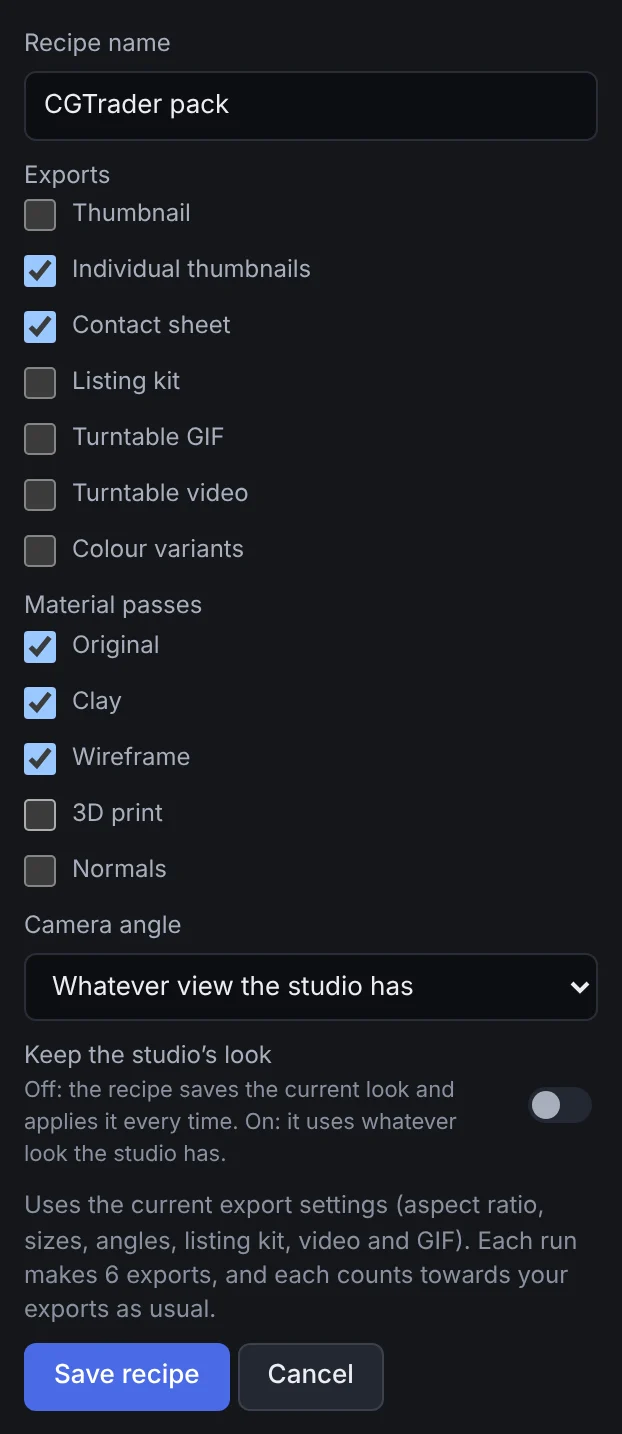 A new recipe
- Click Save recipe. The line above the button says how many exports each run makes.
Run a recipe
Import a new pack, then click Run next to the recipe:
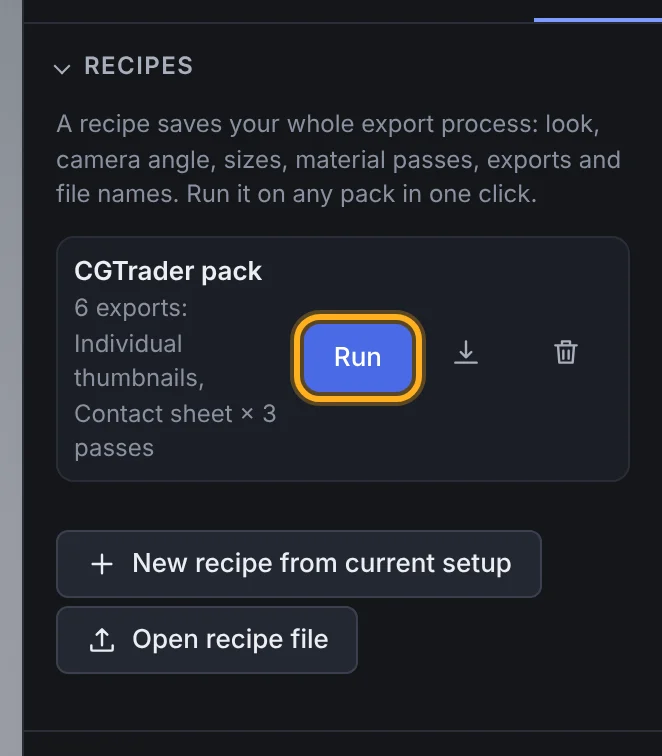 A saved recipe
Shot3D applies the recipe's look and settings, then runs each export in turn, with its usual progress bar. With more than one material pass, each pass's files are named after it, such as thumbnail-clay-contact-sheet.png. When it's done, the studio goes back to how it was before the run.
Each export counts towards your allowance as usual, and the usual plan limits apply: if only part of a batch fits your remaining allowance, that export makes what it can. If an export is cancelled, fails or can't run at all because the allowance has run out, the recipe stops there and tells you how far it got.
Share a recipe
Click the download button next to a recipe to save it as a .shot3drecipe file. To use it on another computer, or to use one someone sent you, click Open recipe file. A recipe file holds settings only, never models or anything that runs, and Shot3D checks every value when it opens one.
Plans
Recipes are on the £1 trial, Pro and Studio. Signed out and on Free, the Batch tab explains this; nothing opens by itself.
Frequently asked questions
Does running a recipe change my studio settings?
Only while it runs. When the recipe finishes or stops, the look, camera and export settings go back to how they were.
Where are my recipes kept?
In this browser, with your other studio preferences. Download a recipe to keep a copy or move it to another device.
Can a recipe run on several packs at once?
No: a recipe runs on the models in the studio. Import the next pack and run it again. Saved projects make it quick to reopen each pack.