
3D model to listing pack: every listing image in one click
Drop in your 3D models and click once to get a ZIP of listing images and turntables. No scene setup, nothing uploaded. Free with a small mark, with higher quality on Pro and Studio.
Loading the tool…
Free with a Rendered by Shot3D mark · Pro and Studio: no mark, higher quality · your files never leave your device
In short: drop your 3D models above and click Create listing pack. Shot3D lights, frames and renders them, then downloads one ZIP with your listing images and a turntable. There's nothing to set up. It's the quick alternative to the studio, and your files stay on your device.
Listing a model usually means choosing lights, a backdrop and angles, then exporting each image in turn. This tool makes those choices for you, so you can go from a finished model to listing images without learning a new program.
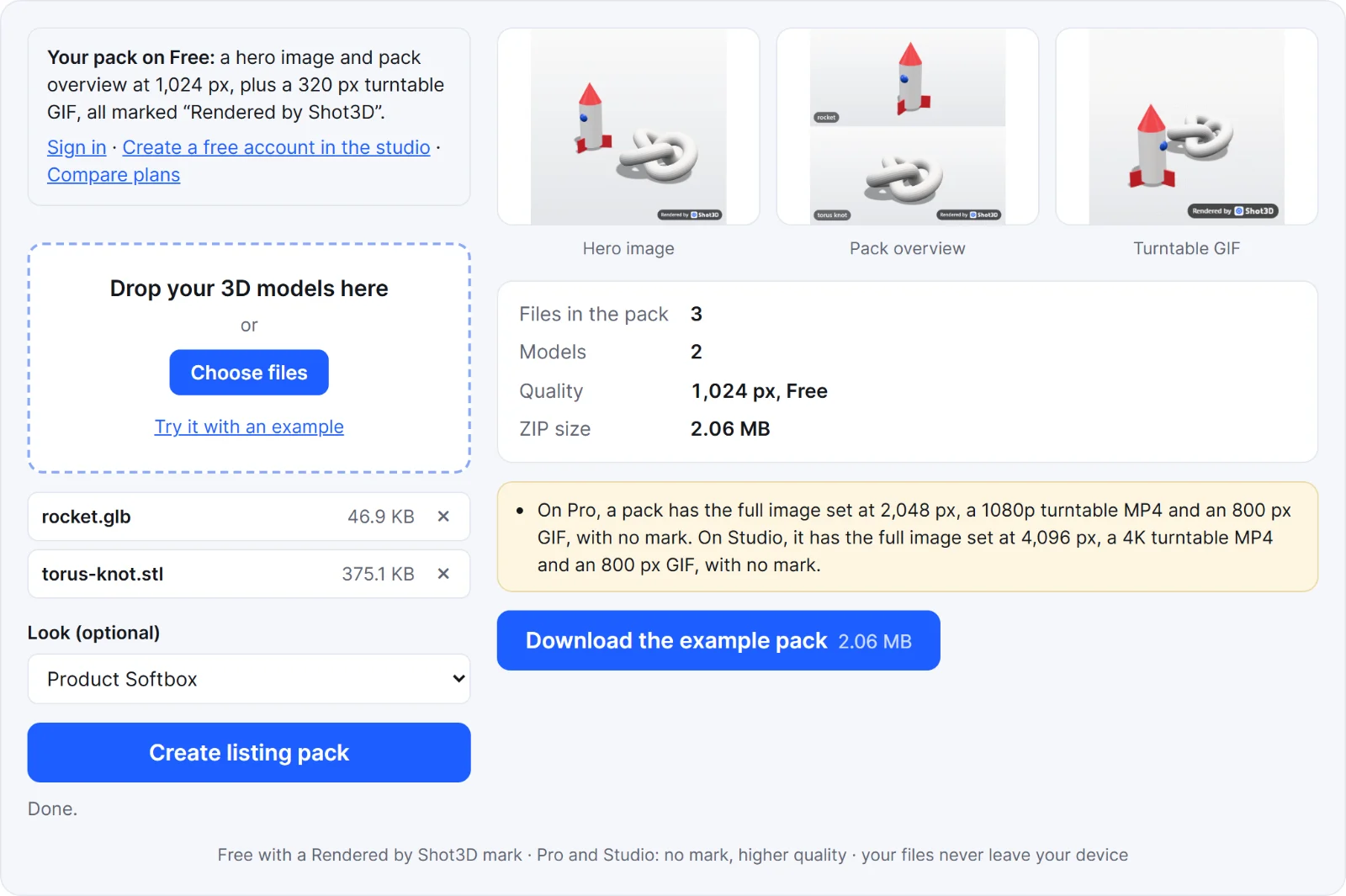 A real pack from the tool's example
How to make a listing pack
- Add your models. GLB, glTF, FBX, OBJ, STL, PLY and 3MF all work. Include textures, an OBJ's .mtl file or a glTF's .bin in the same drop.
- Click Create listing pack. Your ZIP downloads when it's ready.
That's the whole process. If you'd like a different mood, you can pick another Look first, but the default suits most models.
What's in the pack
| Free | Pro | Studio | |
|---|---|---|---|
| Images | Hero and pack overview (a clay view for a single model) | Hero, pack overview, front, back, clay, wireframe and each model alone | The same full set |
| Image size | 1,024 px | 2,048 px | 4,096 px |
| Turntable MP4 | None | 1080p | 4K |
| Turntable GIF | 320 px | 800 px | 800 px |
| Mark on every file | "Rendered by Shot3D" with the logo | None | None |
| Models per pack | 5 | 200 | Unlimited |
All images are square. The MP4 depends on your browser: if it can't encode the top size, the pack uses a smaller one and tells you. See plans and billing for prices.
Listing pack or studio?
Use this tool when you want a good result quickly. Use the studio when you want control over the lighting, angles and exact image sizes, or a listing kit arranged for CGTrader, Fab or the Unity Asset Store. After making a pack, Open in the studio carries your files across, so you can fine-tune from there.
Before you publish, check your marketplace's current image rules, and make sure the images show what the buyer actually gets. You can check the models themselves with the 3D model checker.
Frequently asked questions
Is it free?
Yes. Without an account or with a free one, you get the hero image, a pack overview and a turntable GIF, all with a "Rendered by Shot3D" mark. Pro and Studio remove the mark and add the full image set, higher quality and an MP4.
How much of my export allowance does a pack use?
Each file counts as one export, as it does everywhere in Shot3D. A Free pack is 3 files. Without an account you have 3 exports, and a free account has 10 a day. If you don't have enough left, a Free pack is cut down to what you have left, starting with the hero image. Pro and Studio have no export limit, and a trial pack needs all its files available. The built-in example doesn't count.
Are my models uploaded?
No. Everything is opened, rendered and zipped in your browser, on your own device. Your models and images are never sent to Shot3D. Shot3D does count your exports, so that the limits above work: see the privacy policy.
How long does it take?
Usually seconds to a few minutes. It depends on your computer, how many models you add and your plan's image sizes. Keep the tab open while it works.
Can I remove the mark on the Free plan?
No. Every file in a Free pack carries the mark. Pro and Studio packs don't have it.
Why does a model look plain or grey?
Its textures weren't found, or its format doesn't store them. Add the texture files in the same drop as the model. STL files don't hold colour at all.