
Exporting a 360° turntable video (MP4 or GIF)
In short: open the Export tab and set up the Turntable video and GIF section: Resolution (720p to 4K), Duration (3 to 30 seconds per rotation), Frame rate (24, 30 or 60), Motion (model spins or camera orbits) and Direction. Then choose Export → Turntable video in the top bar. Shot3D renders every frame on your device and downloads a seamlessly looping H.264 MP4. MP4 export is part of Pro and Studio. For a looping GIF instead, choose Export → Turntable GIF, on every plan.
For advice on making turntables that sell, see our guide to 360° turntable videos. This tutorial covers the controls.
Set up the shot
The turntable starts from your current view, so set it up first:
- Choose a look preset and camera angle. 3/4 Front (1) or Hero (8) work well.
- Set the aspect ratio in the Export tab's Image section. Videos use the same aspect ratio as images.
- Press F to frame. Add a little extra framing margin so long models don't touch the edges as they turn.
Preview the rotation
Click the Auto-rotate preview button on the viewport toolbar, or press R, to watch your models turn before you export:
 Preview with auto-rotate
If anything clips at the edges, increase the margin and press F again. Press R to stop.
Turntable settings
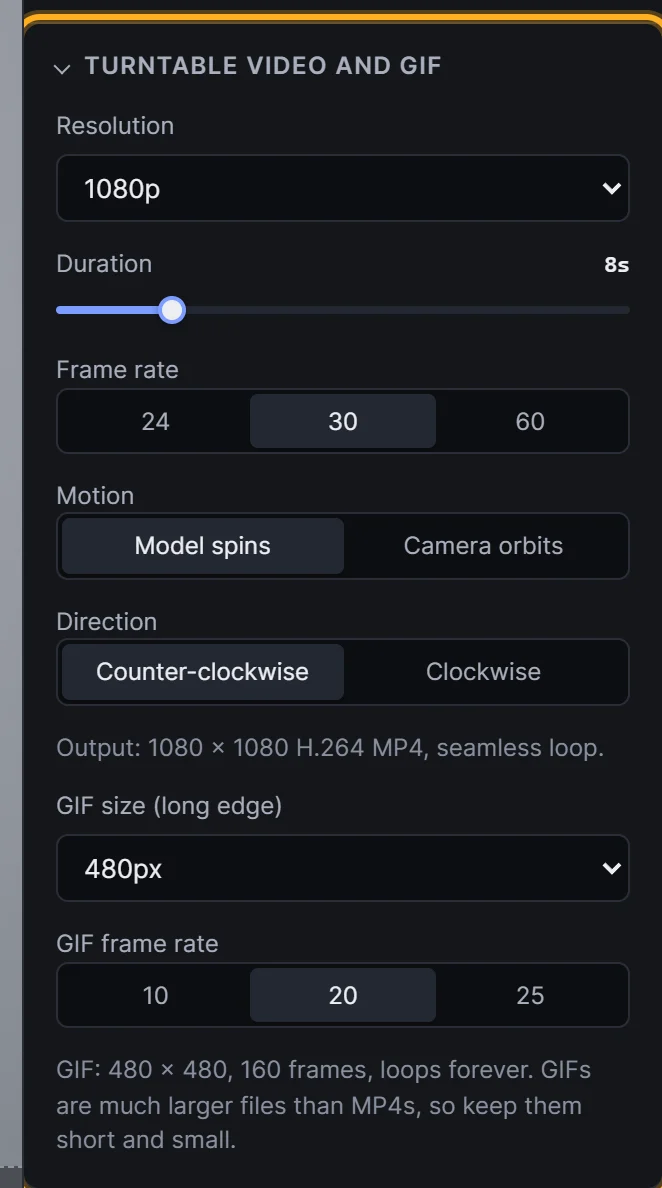 Turntable video and GIF settings
| Setting | Options | Tip |
|---|---|---|
| Resolution | 720p, 1080p, 1440p, 4K | 1080p suits most listings and social posts. Pro includes up to 1080p, Studio up to 4K |
| Duration | 3 to 30 seconds | The time for one full rotation. 6 to 10 seconds feels calm and premium |
| Frame rate | 24, 30 or 60 fps | 30 is standard for the web. 60 is extra smooth |
| Motion | Model spins or Camera orbits | Model spins: a classic turntable, where lights and backdrop stay still. Camera orbits: the camera circles the models |
| Direction | Counter-clockwise or Clockwise | Purely a matter of taste |
Below the settings, Output shows the exact video size, for example "1080 × 1080 H.264 MP4, seamless loop".
Export the video
Click Export in the top bar (or at the bottom of the Export tab) and choose Turntable video:
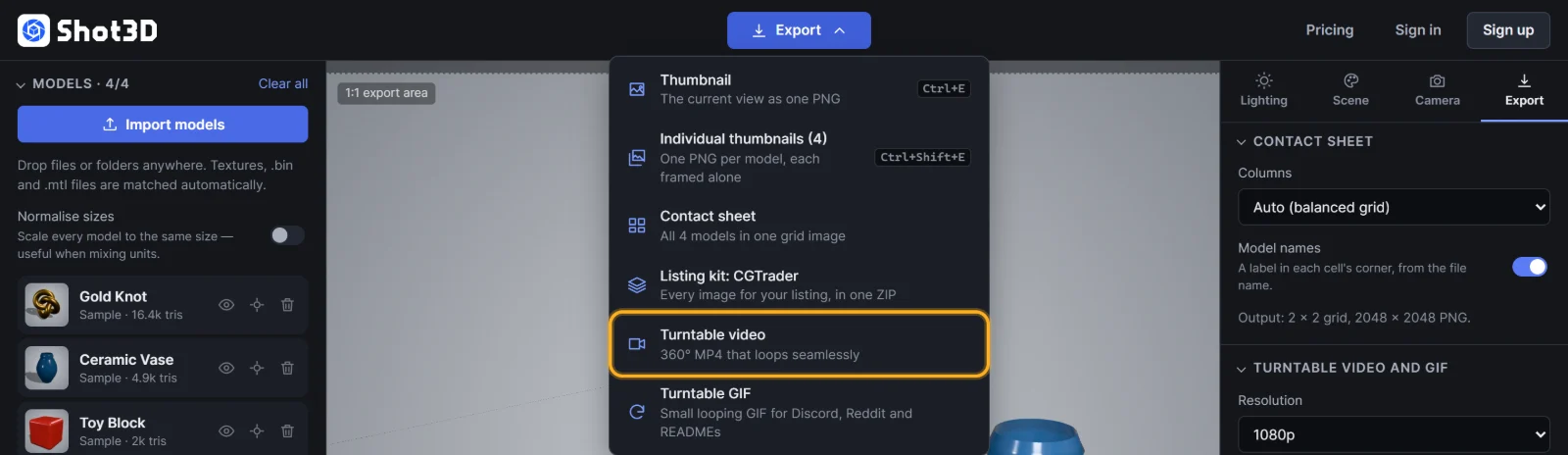 Export → Turntable video
A progress dialog counts through the frames, for example "Frame 120 of 240". Each frame is rendered at full resolution and encoded in your browser, so the result is perfectly smooth even if your computer is slow. Click Cancel to stop.
When it's done, the MP4 downloads, named like thumbnail-turntable-20261103-1430.mp4.
The video loops perfectly: the rotation is exactly 360° at a constant speed, with no repeated frame at the loop point.
Export a looping GIF
For Discord, Reddit, forums, itch.io pages and GitHub READMEs, where GIFs play inline, choose Export → Turntable GIF. It uses the same Duration, Motion and Direction as the video, plus two GIF settings in the same section:
| Setting | Options | Tip |
|---|---|---|
| GIF size (long edge) | 320, 480, 640 or 800 px | 480 px suits most posts. Free includes up to 320 px, Pro and Studio up to 800 px |
| GIF frame rate | 10, 20 or 25 fps | 20 is smooth and keeps files small |
Below them, the hint shows the GIF's size and frame count. GIFs are much larger files than MP4s, so keep them short: 4 to 6 seconds at 480 px is usually a few megabytes. The GIF downloads as thumbnail-turntable-20261104-1430.gif and loops forever. On the Free plan it carries a small Shot3D label.
See the 3D model to GIF maker for more tips.
Things to know
- Plans: MP4 turntables are included in Pro (up to 1080p) and Studio (up to 4K). GIFs are on every plan. On the Free plan, choosing Turntable video (marked Pro in the menu) opens Plans & billing.
- Transparent backgrounds: turntables can't be transparent, so the Video fallback colour from the Scene tab is used. See backgrounds.
- Browser support: MP4 export uses your browser's built-in video encoder (WebCodecs). Current Chrome, Edge and Safari on desktop work best. If a size isn't supported, Shot3D says so and suggests a smaller size.
- Overrides work too: clay and wireframe turntables are just a material override plus a turntable export.
Frequently asked questions
How long does a turntable take to export?
It depends on resolution, frame rate, duration and your computer. A 1080p, 30 fps, 8-second video is 240 frames, and each frame is rendered and encoded in turn. The progress dialog shows how far along it is.
Will the video loop seamlessly?
Yes. The rotation covers exactly 360° at a constant speed, so it plays smoothly on repeat.
Why can't I export a video on the Free plan?
Turntable MP4 export is a Pro and Studio feature. New customers can try Pro for £1 for 3 days. See plans and billing.